Start building free in your own private workspace. Open Studio →

Help

Guides for running a hub, and the walkthroughs that play inside TraceReach Drop when you are on the ground.

Know these five

Drop
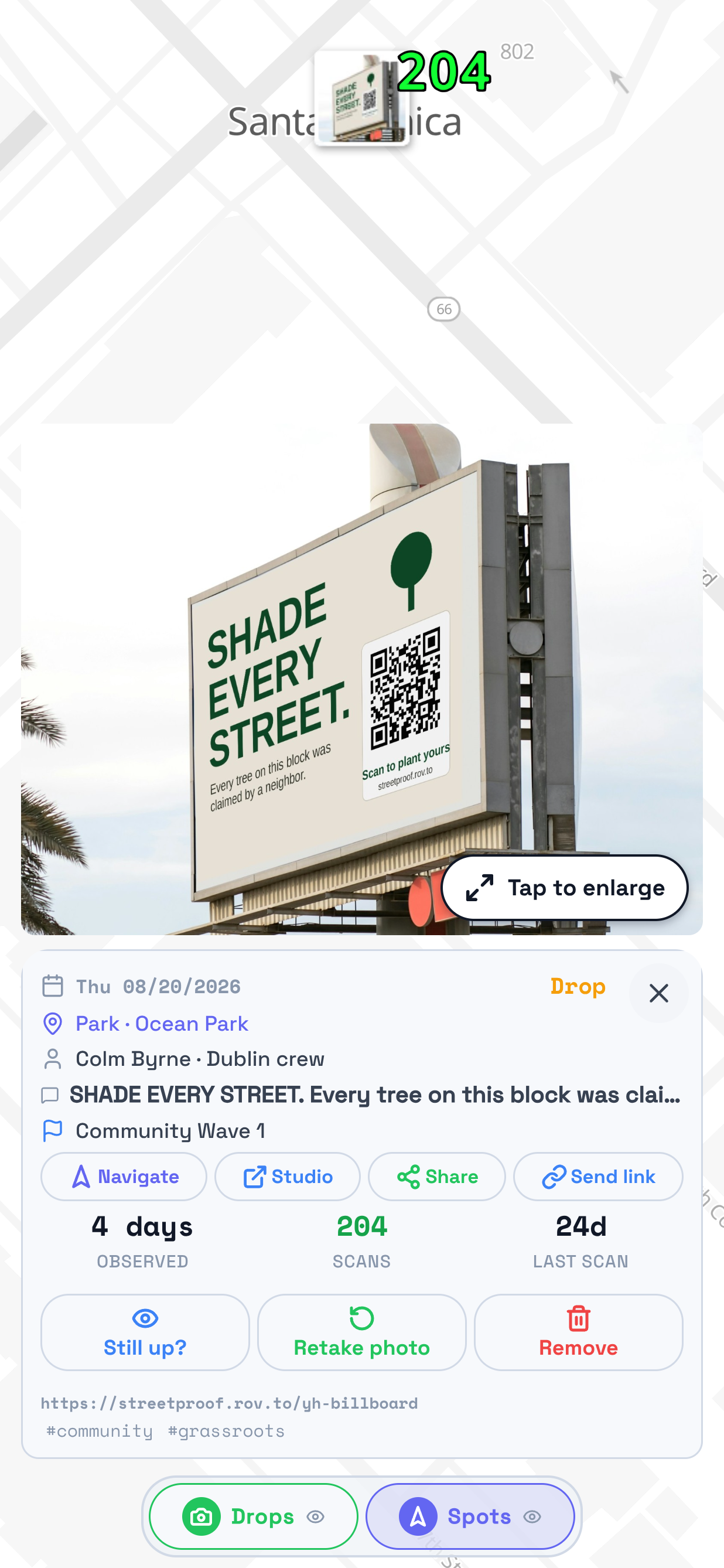
The map in TraceReach Drop with a drop card open. Marked on it: that card, carrying a photo of a billboard reading SHADE EVERY STREET with a QR code, and under the photo the day it was recorded, Thu 08/20/2026, the place, Park, Ocean Park, who logged it, Colm Byrne of the Dublin crew, the wording on the piece, and its campaign, Community Wave 1.
The photo you take there and then, with the place and the day on it.

Spot

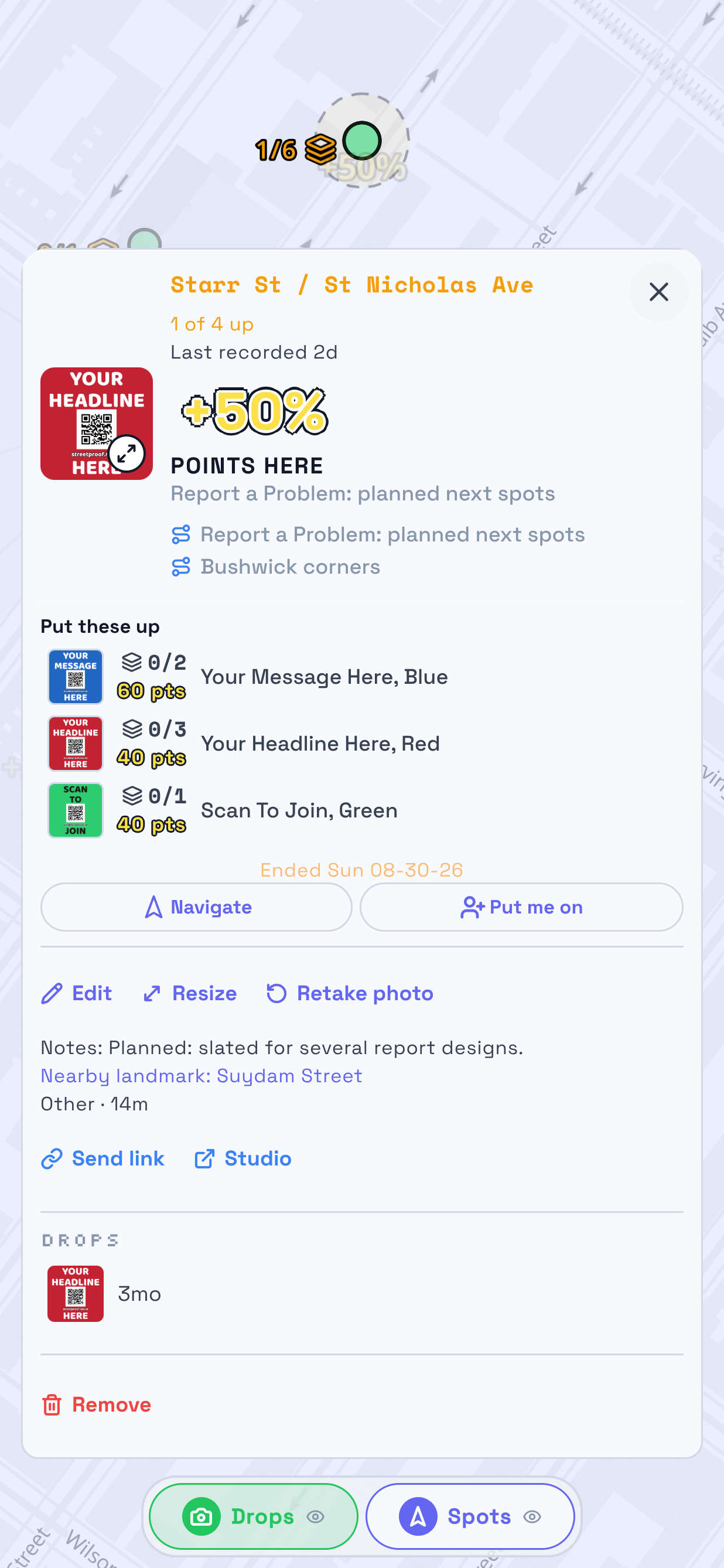
The map in TraceReach Drop with a spot card open. Marked on it: that card, reading Starr St / St Nicholas Ave, 1 of 4 up and Last recorded 2d, the two runs the spot is on, and a list headed Put these up naming three designs and how many of each are still needed.
Somewhere your hub wants a drop, and what to put up there.

Zone

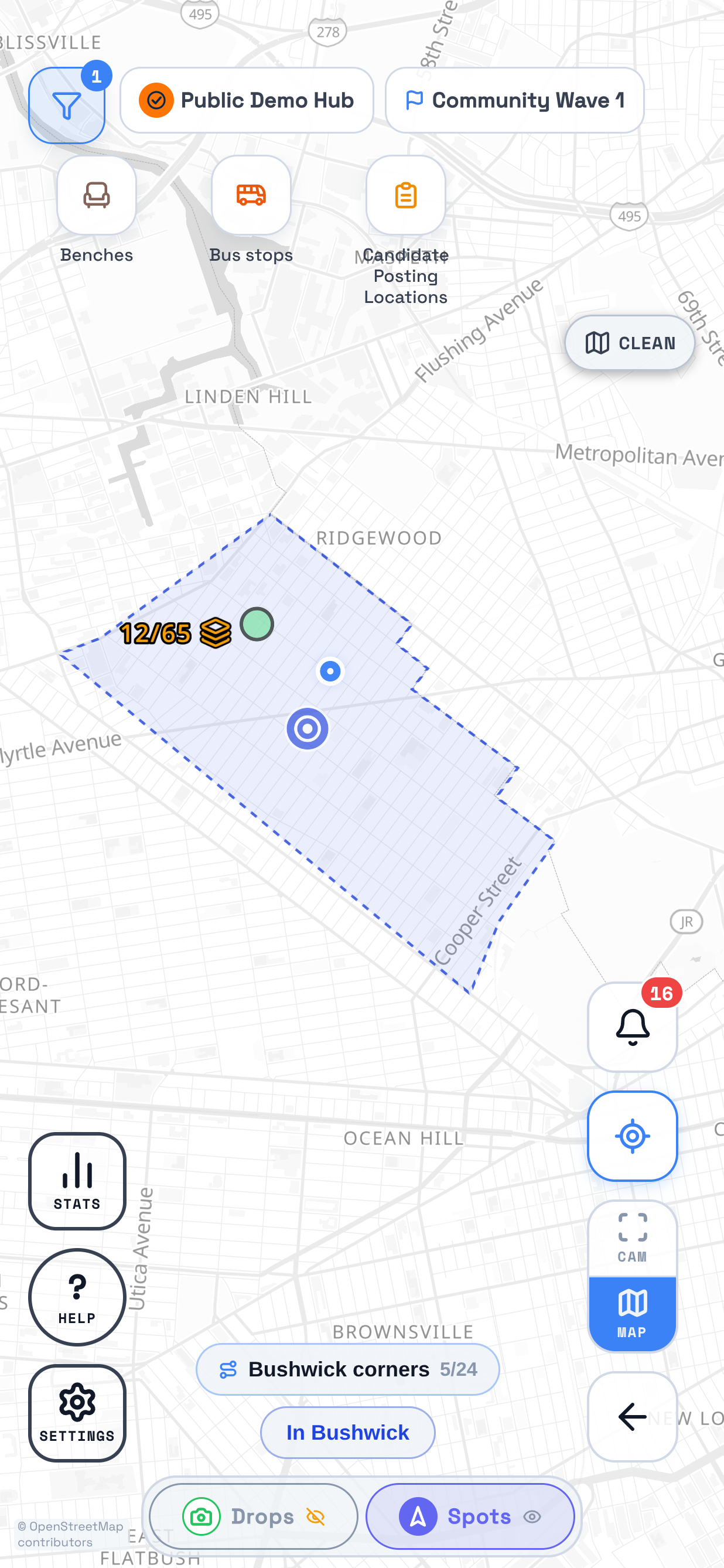
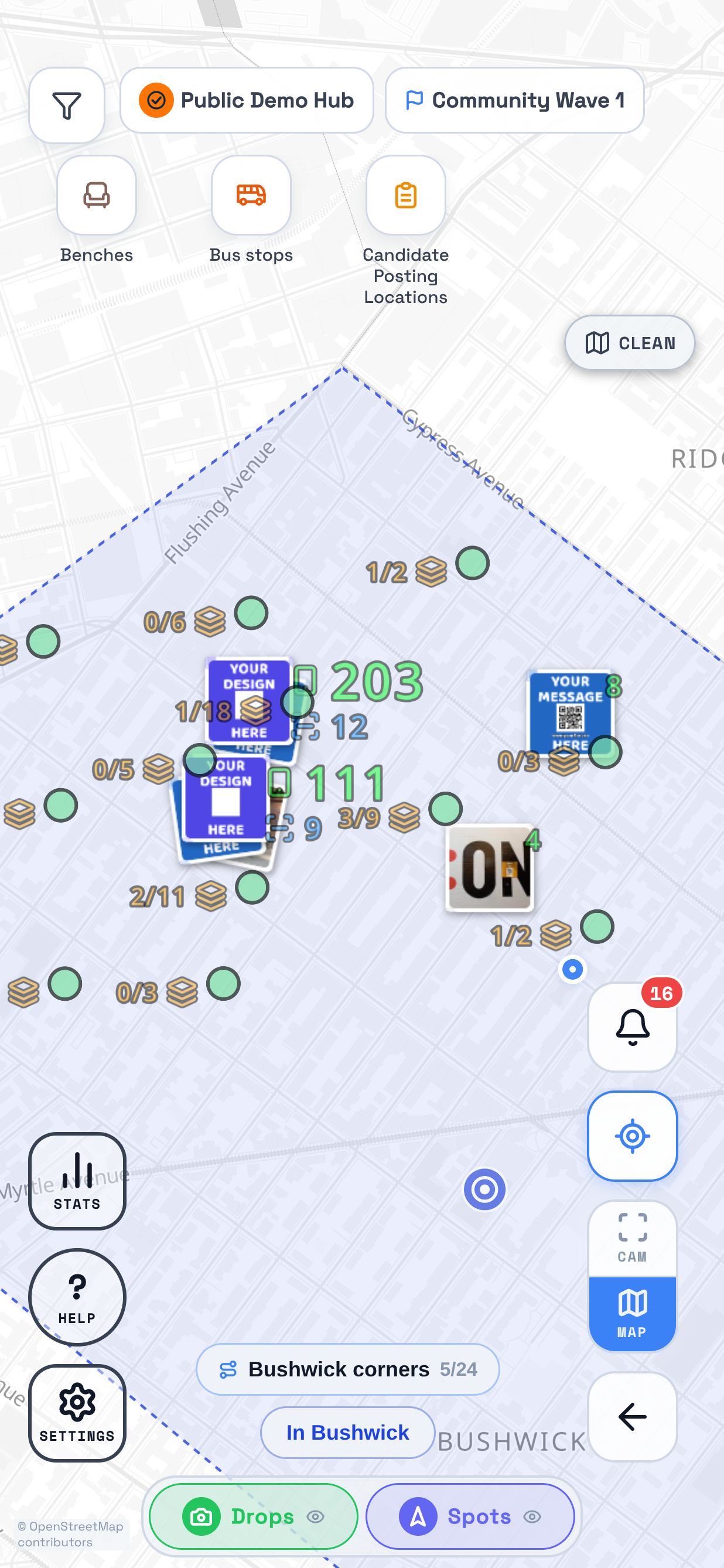
The map in TraceReach Drop over Bushwick. Marked on it: a drop zone drawn as a dashed blue circle with a pale fill, its centre mark in the middle, and four spots inside it, each labelled with how many drops it still needs.
A spot with room around it. Drop anywhere inside.

Run

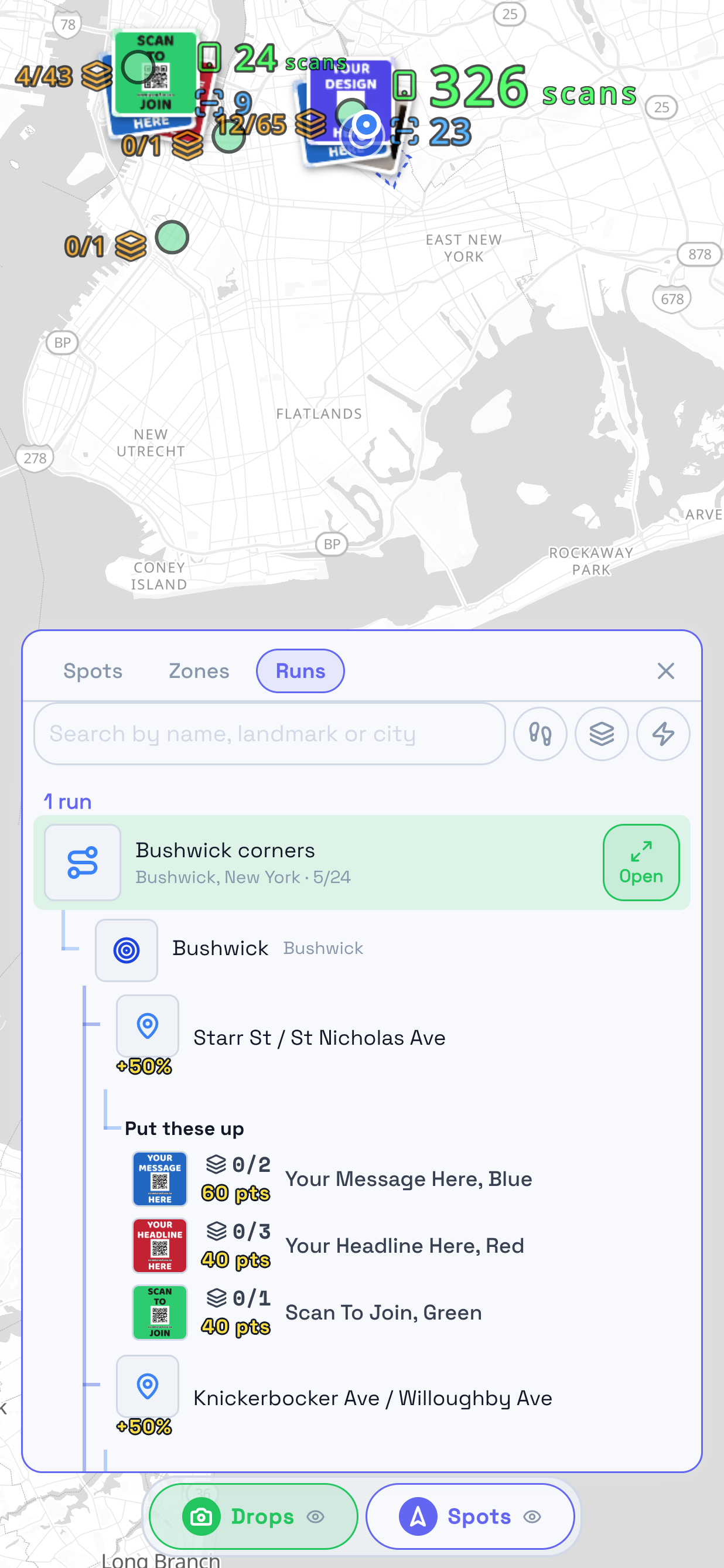
The Runs tab in TraceReach Drop, open over the map. Marked on it: the run Bushwick corners, reading Bushwick, New York and 5 of 24, and under it, indented, the zone Bushwick with a 700m range and two spots inside that zone, the first showing the three designs it asks for.
A batch of spots and zones to get through, and how many drops you are after.

Find

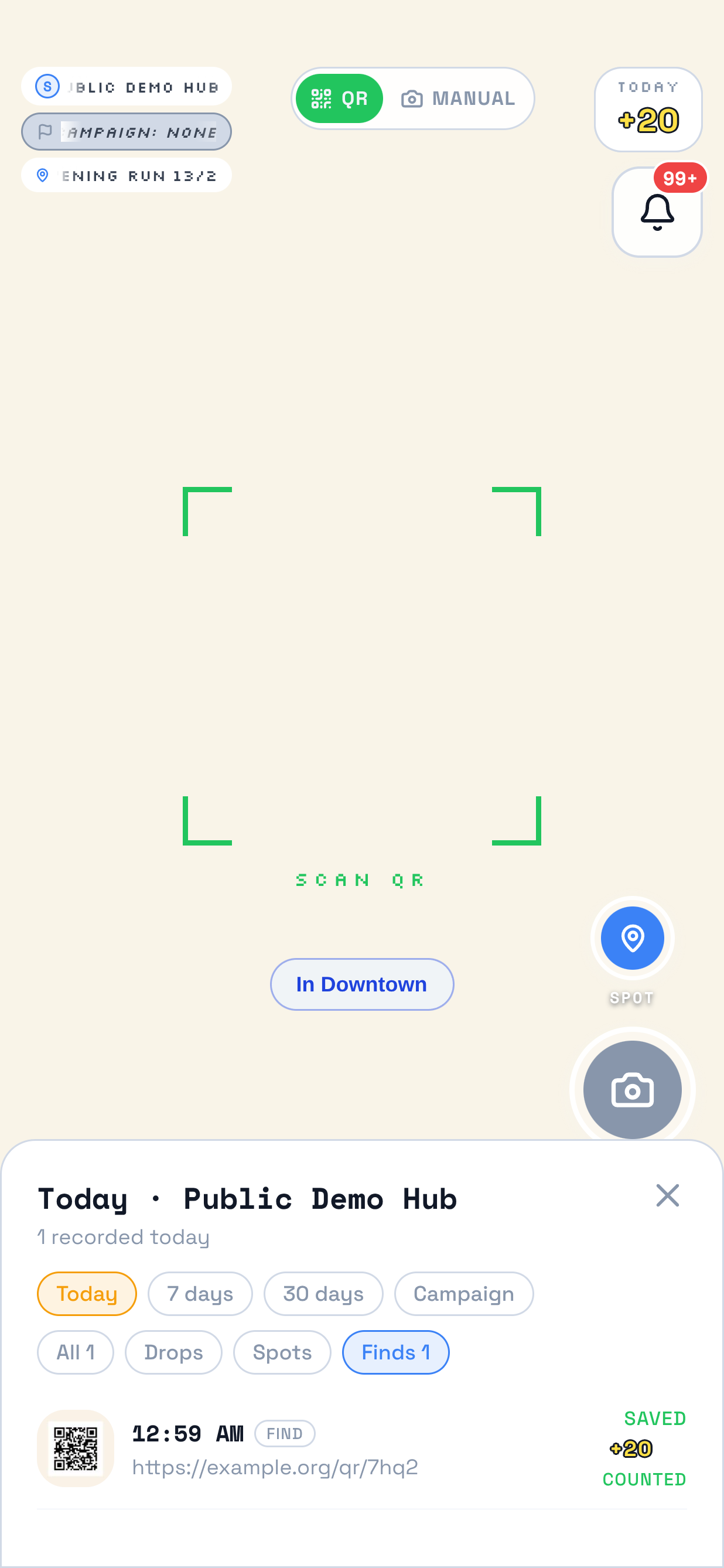
The camera in TraceReach Drop with the activity sheet open over it. Marked on it: the Finds filter, and the one row under it tagged FIND, carrying a photo of the scanned QR code, the time, the address the code points to, and Saved.
Found a poster or sticker? Photograph it and save where you saw it.

On the ground

Watch a QR drop

Scan a QR, then open a drop on the map.

10 seconds · No sound · Your Campaign demo hub

Read the video steps
  1. Hold the camera on the QR until it locks.
  2. The photo saves as a drop.
  3. Open a drop on the map to see its photo and details.

Follow a walkthrough in Drop

  1. Step 1 of 3

    The map in TraceReach Drop over Bushwick. Marked on it: the round ? tile, captioned HELP, in the bottom left corner, above the Stats and Settings tiles.

    Tap ? in the bottom corner of the camera or the map.

  2. Step 2 of 3

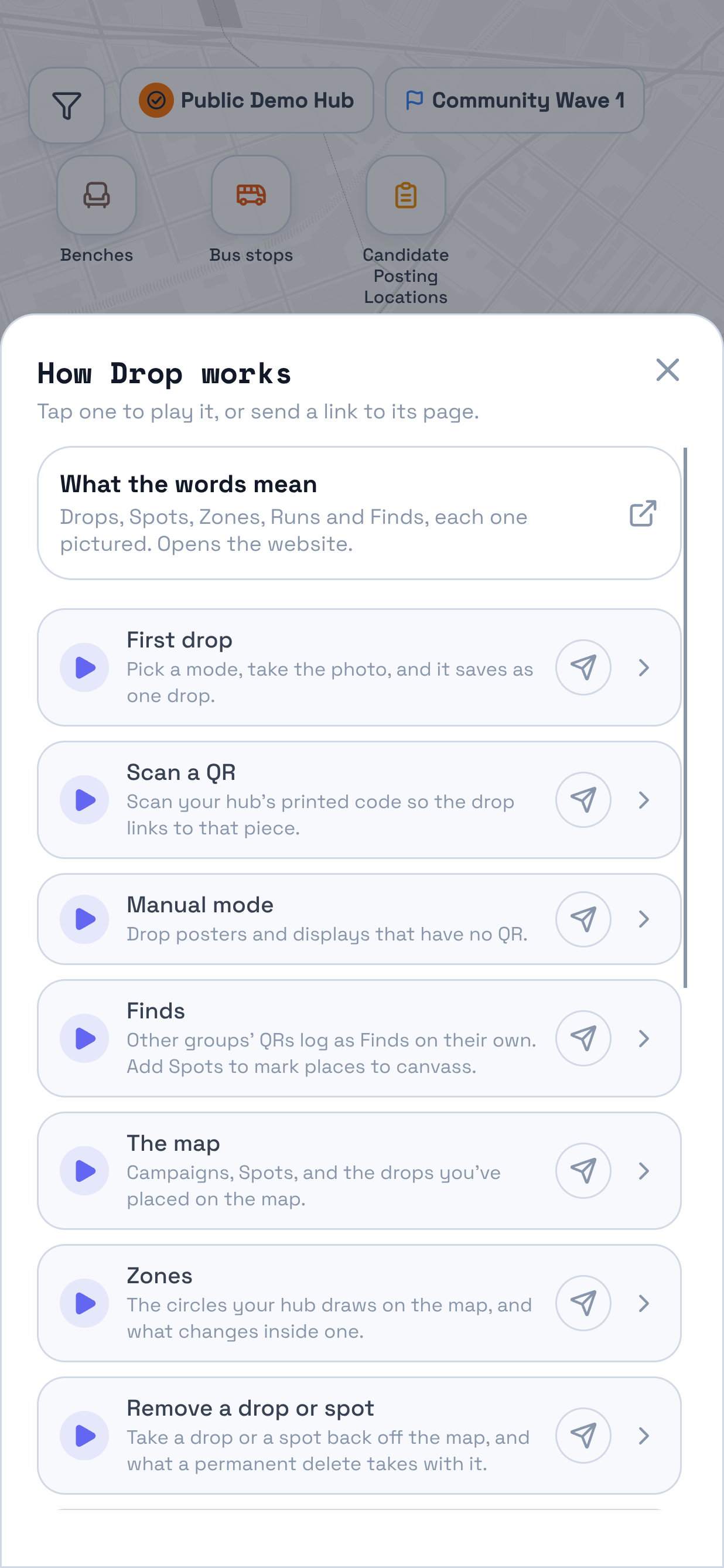
    The sheet the ? tile opens over the map, headed How Drop works, with a row for What the words mean at the top. Marked on it: the seven walkthrough rows under it, First drop, Scan a QR, Manual mode, Finds, The map, Zones and Remove a drop or spot, each with a play control and a send control.

    One row per walkthrough. Play one here, or send somebody its link.

  3. Step 3 of 3

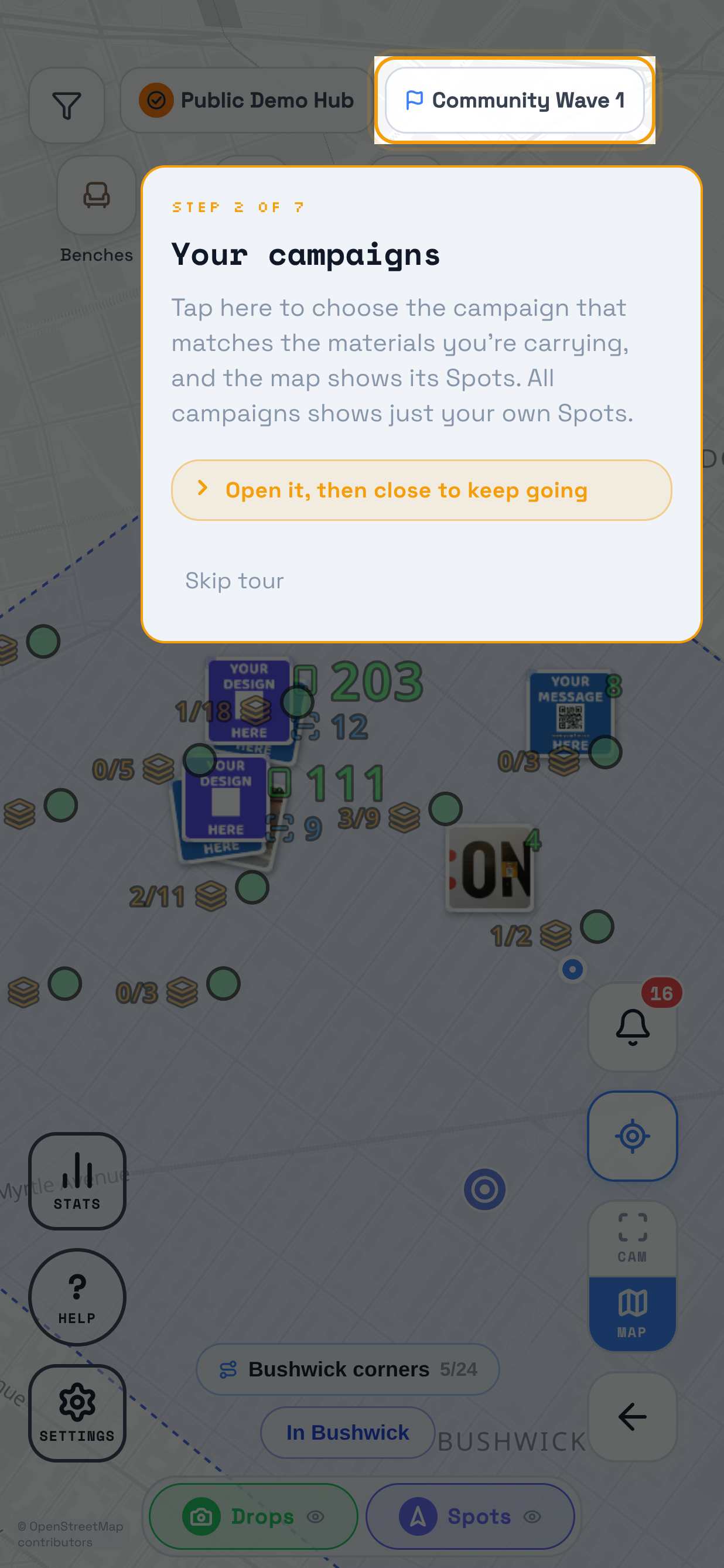
    A walkthrough playing over the map in TraceReach Drop, the whole screen dimmed. Marked on it: the campaign pill reading Community Wave 1, which carries the walkthrough's own ring. The card under it reads Step 2 of 7, Your campaigns, then Tap here to choose the campaign that matches the materials you're carrying, then Open it then close to keep going, and Skip tour.

    The walkthrough runs on your own screen, pointing at one control at a time and waiting for you to press it.

Stuck on something these leave out?

Write to us and say which hub you are on and which app you are in. Support has the address, the phone number, and how long we take to answer.