Hand over a Drop code
A Drop code is what signs a crew member in, on this phone and the next. It reaches them as a link, as a QR, or as the code itself.
On their row
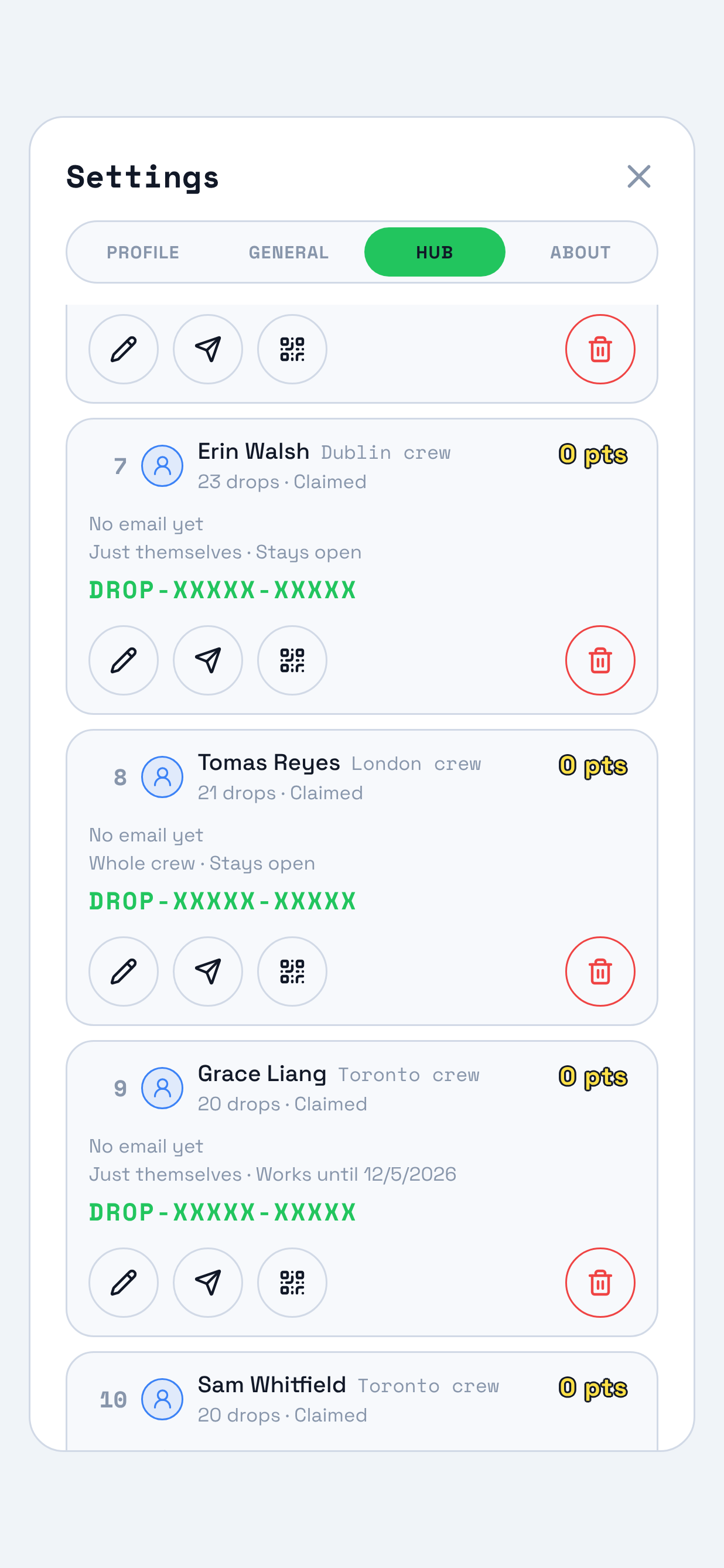
Open Settings, then Hub, and find them on your crew. A member with a live code carries it on their row, and tapping it copies it. Beside it sit the two ways it leaves your phone: Send invite writes a message holding the link and the code, so a phone number is enough, and QR invite opens the card.
The card
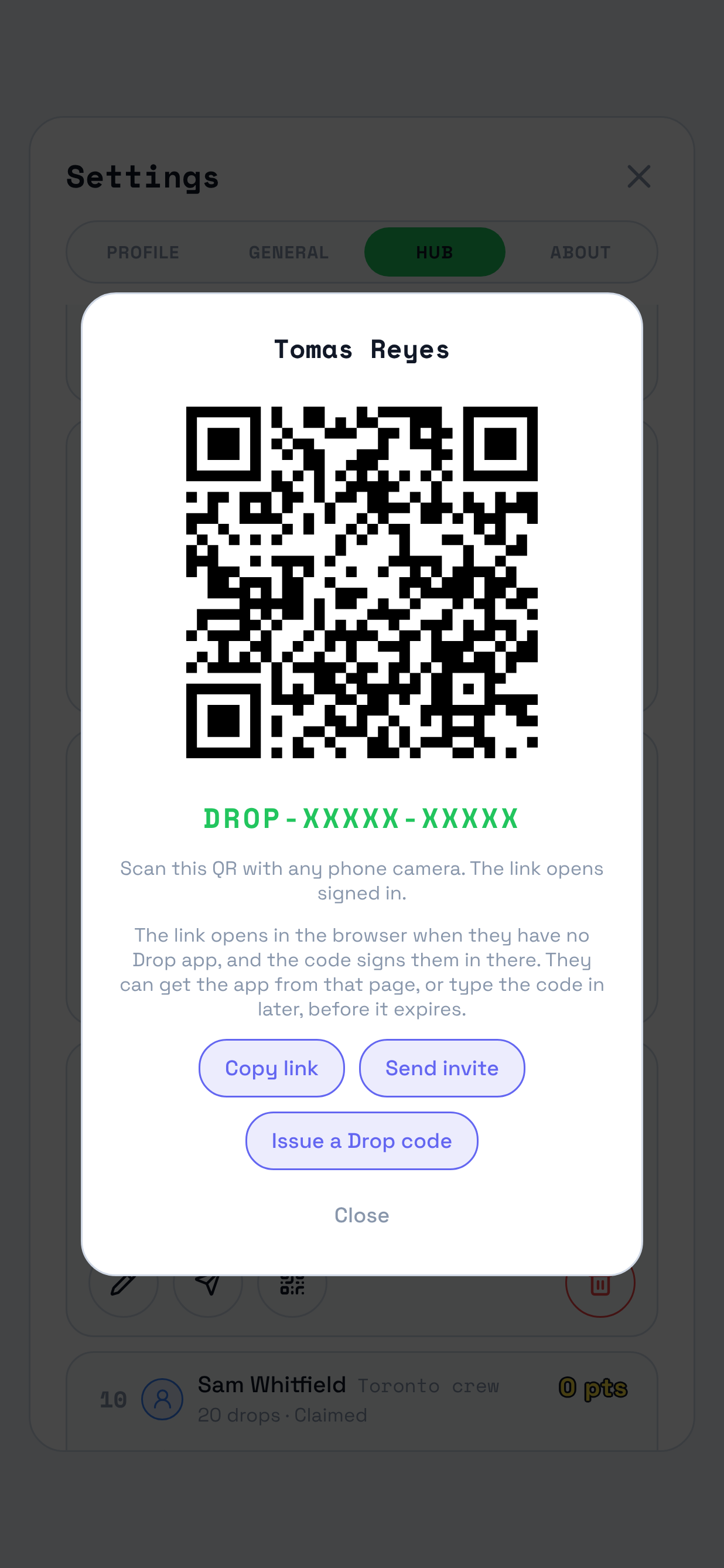
The card carries their name, the QR, and the code under it. Any of the three routes signs them in: the QR from their camera, the link from a message, or the code typed into the app. With no Drop app on the phone in front of you, the link opens in the browser and signs them in there, and that page offers the app.
When a code runs out
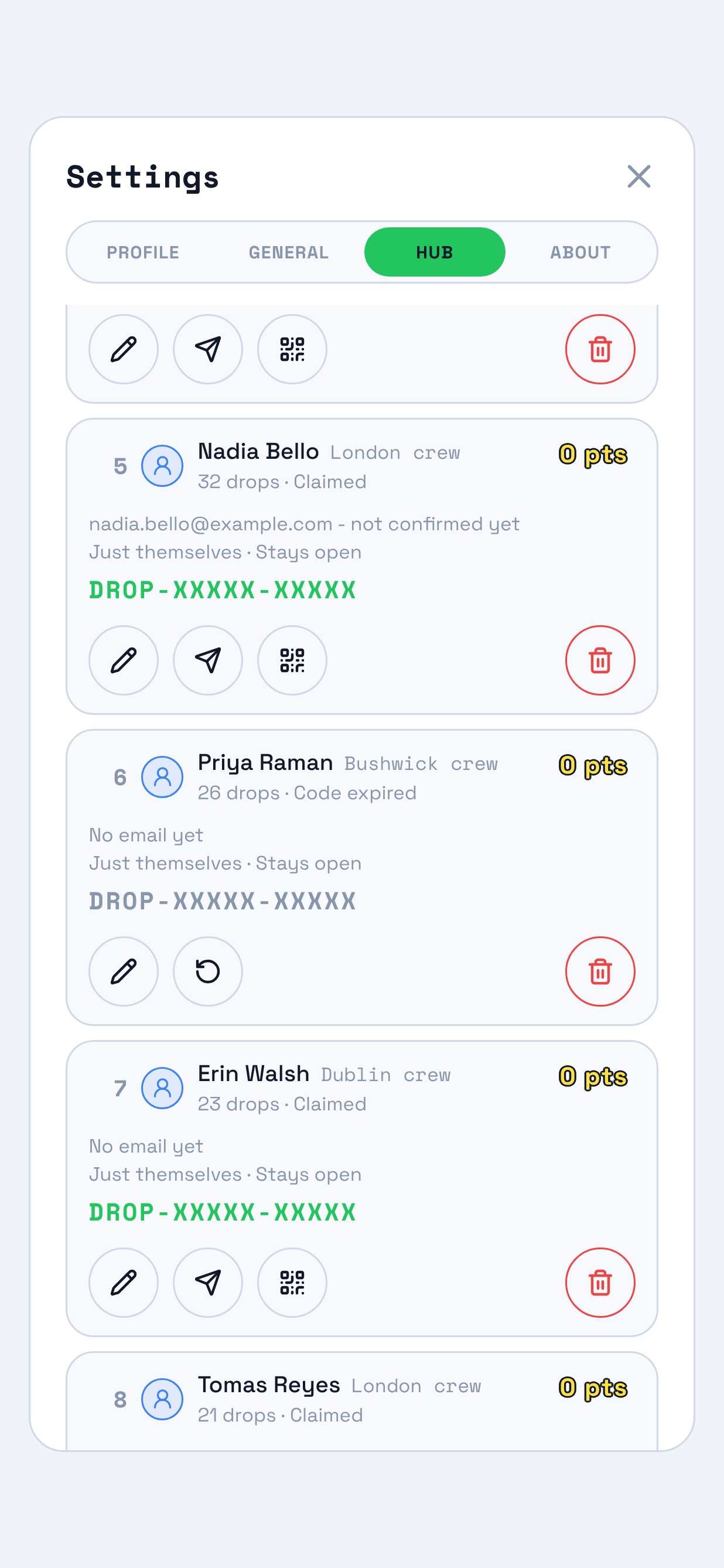
A Drop code lasts 30 days. After that their row reads Code expired, and the code stays on it in grey so you can match it against a card you printed, without being able to hand it over again. Send invite and QR invite are gone, because there is nothing live to send, and one control takes their place: Issue a Drop code.
A stack before a shift
Handing out codes one phone at a time works for one or two people and stops working for twenty. Studio prints them: the Users page, under Crew, has Print Drop codes beside Add crew members, and it makes a sheet of cards from the rows on screen, two to a row, each carrying the hub, the person's name, their QR and their code.
It prints what the rows hold, so reissue a lapsed code before you print rather than after, and hand each card to the person whose name is on it.
Questions a lead asks
- They got a new phone.
-
The same code signs them back in, for as long as it has left. Nothing has to be reissued for a change of phone.
If it has run out, press Issue a Drop code on their row. They come back to the same profile with their drops still credited to them.
- What happens to the old code when I issue a new one?
-
It stops working that second, along with any claim link and any QR that carried it. That is the point of the control: a code somebody walked off with is dead the moment you replace it.
It is worth saying out loud to the person in front of you, because a code they were given last week is the one they will try first.
- Can two people share one code?
-
No. A code belongs to one crew member, and whoever signs in with it is signed in as that person, so their drops would be credited to that name.
Everybody on your crew gets their own, which is what makes the map able to say who put a piece up.
- It refuses to issue one.
-
Somebody whose account has a confirmed email address signs in with that address instead, and the app says so on the row rather than handing you a code that would be refused at the door.
- Does a code work on my other hubs?
-
No. A code is stamped with the hub it was made on, and it signs them in there. Somebody who works two of your hubs holds a code on each.
- Somebody has no code at all.
-
Their row reads No code, which is what a member who joined by accepting an invitation or by signing in with their email looks like. Nothing is wrong: they have a way in already.
Issue a Drop code gives them one anyway, which is worth doing before a shift where the phone in their hand might not be the one they signed in on.
Adding somebody for the first time?
Add crew covers the two ways onto a hub, and Set roles and who sees what covers what they can do once they are on it.