Start here
What is TraceReach?
A campaign operating system. Plan a campaign with an AI assistant, run it on the street and online, and hear back from every piece of it. Your whole crew, volunteers and contractors included, works off one map, and each run starts from what you learned on the last one.
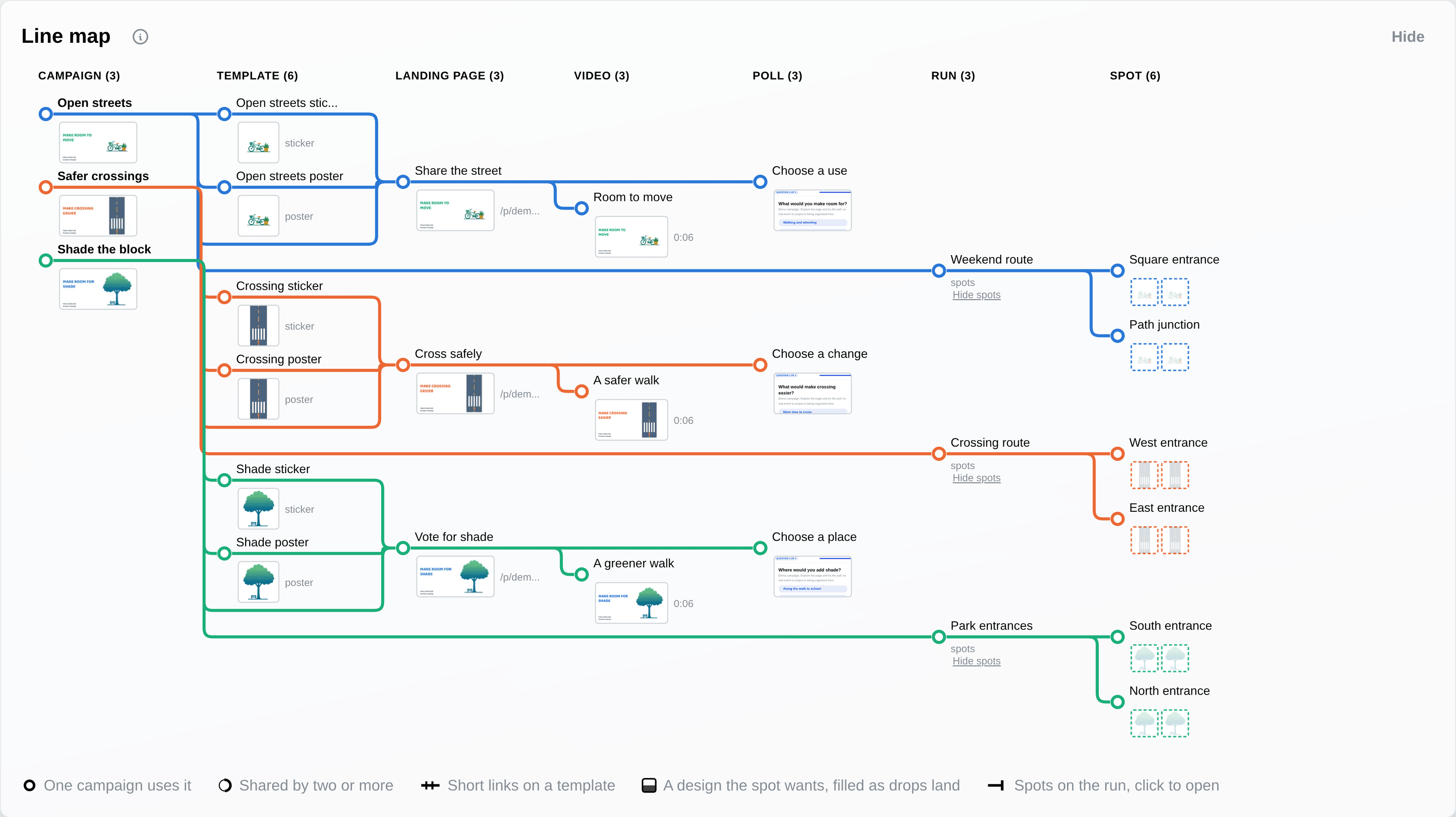
The AI assistant
Describe the campaign, get it built
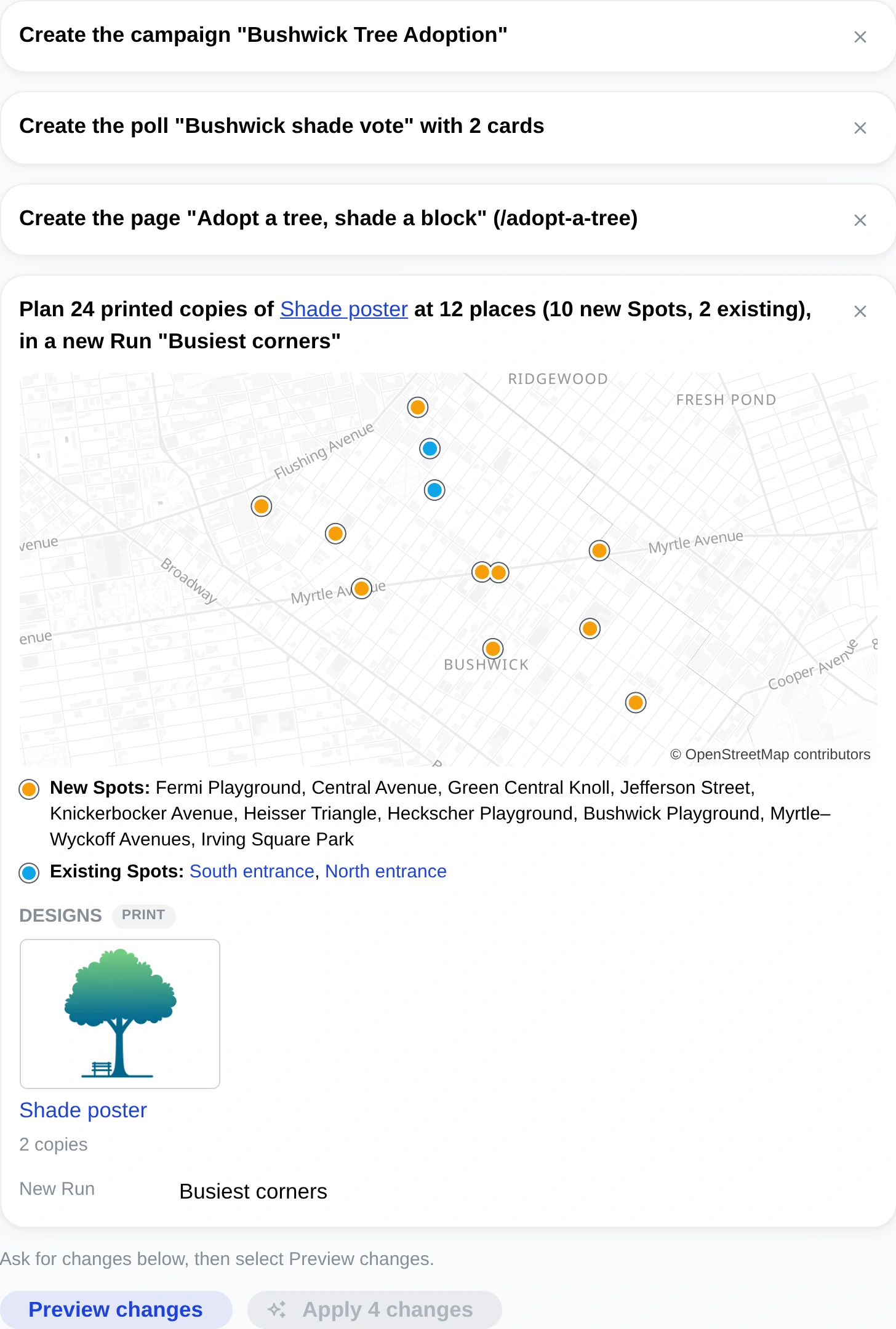
Tell the assistant what the campaign is for. It drafts the campaign, its designs, the landing page and poll, Spots across a city and the Runs to cover them, all on one plan. You preview every change, and nothing is written until you press Apply. When you plan the next round, the assistant can read what came back from the last one.
The assistant comes with Team, Network and Custom. See it build a campaign.
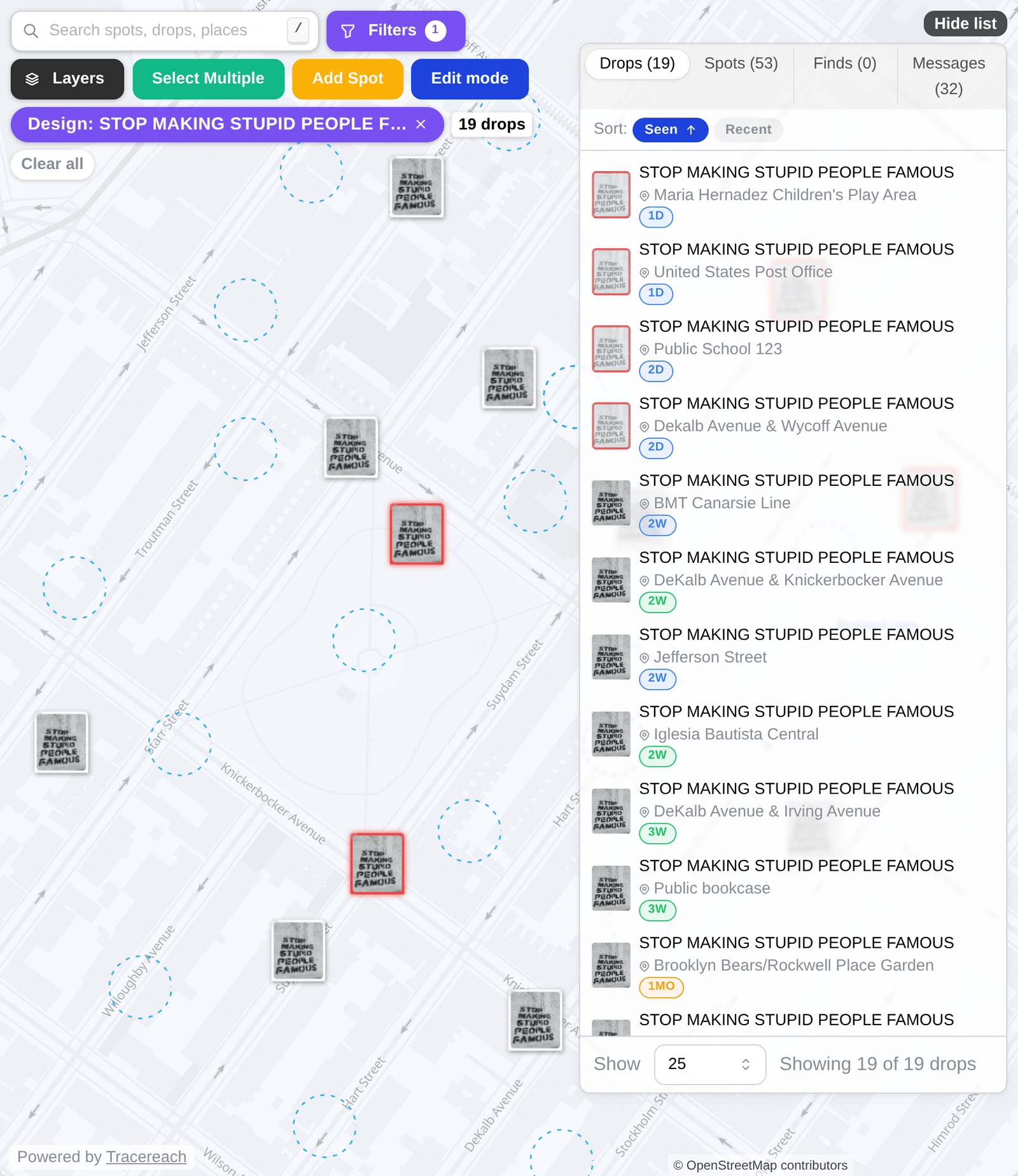
What happened to each copy
Your crew's photos and notes answer these four questions for every poster, sticker and chalk message, with or without a QR code.
-
How long it stayed up
When your crew finds a copy gone, they mark it removed in the Drop app, and the day it came down goes on its record. If they found it late, you can set an earlier day in Studio. Studio counts the days each copy stood and shows an average per design.
-
Torn down or defaced
When your crew marks a copy removed, they pick what happened, torn down or defaced, and can add a note. Removed copies stay on the map in red, and the design report shows how many copies of each design are still up and how many came down.
Stencil photo: Muzammil (CC BY-SA 4.0)
-
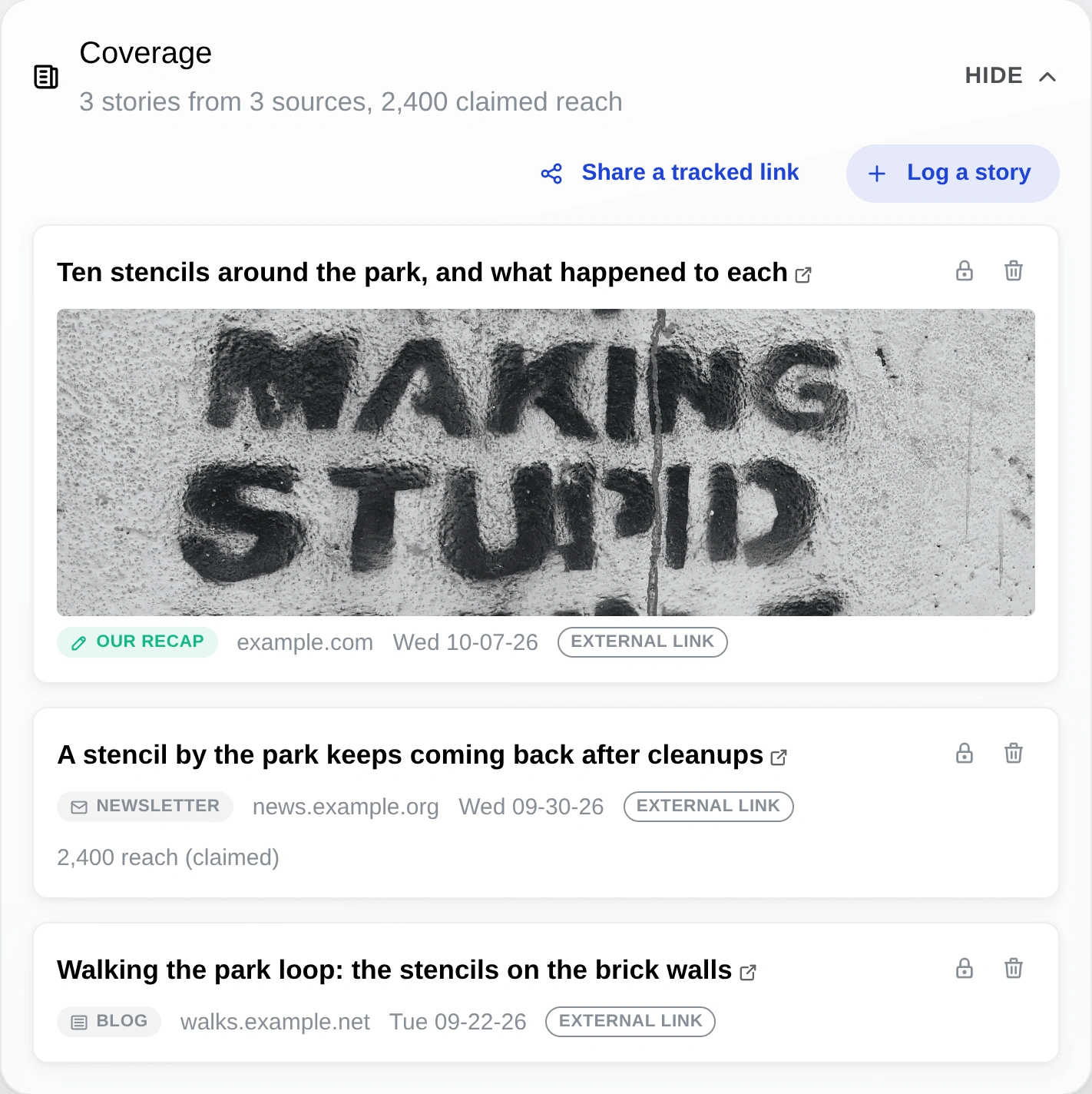
Who wrote about the campaign
Add a news story, blog post, newsletter, broadcast or social post to the campaign or design it mentions. Paste the link and Studio fills in the title, source and date from the page. Any reach figure is labeled as the source's own claim.
-
What changed on it
Photograph a copy again and the new photo joins its record, so a reply someone wrote on it or a sticker pasted over it stays on file. Studio reads the words in the photo taken when it went up, chalk and handwriting included.
Stencil photo: Muzammil (CC BY-SA 4.0)
Add a QR code to see which copies get scanned
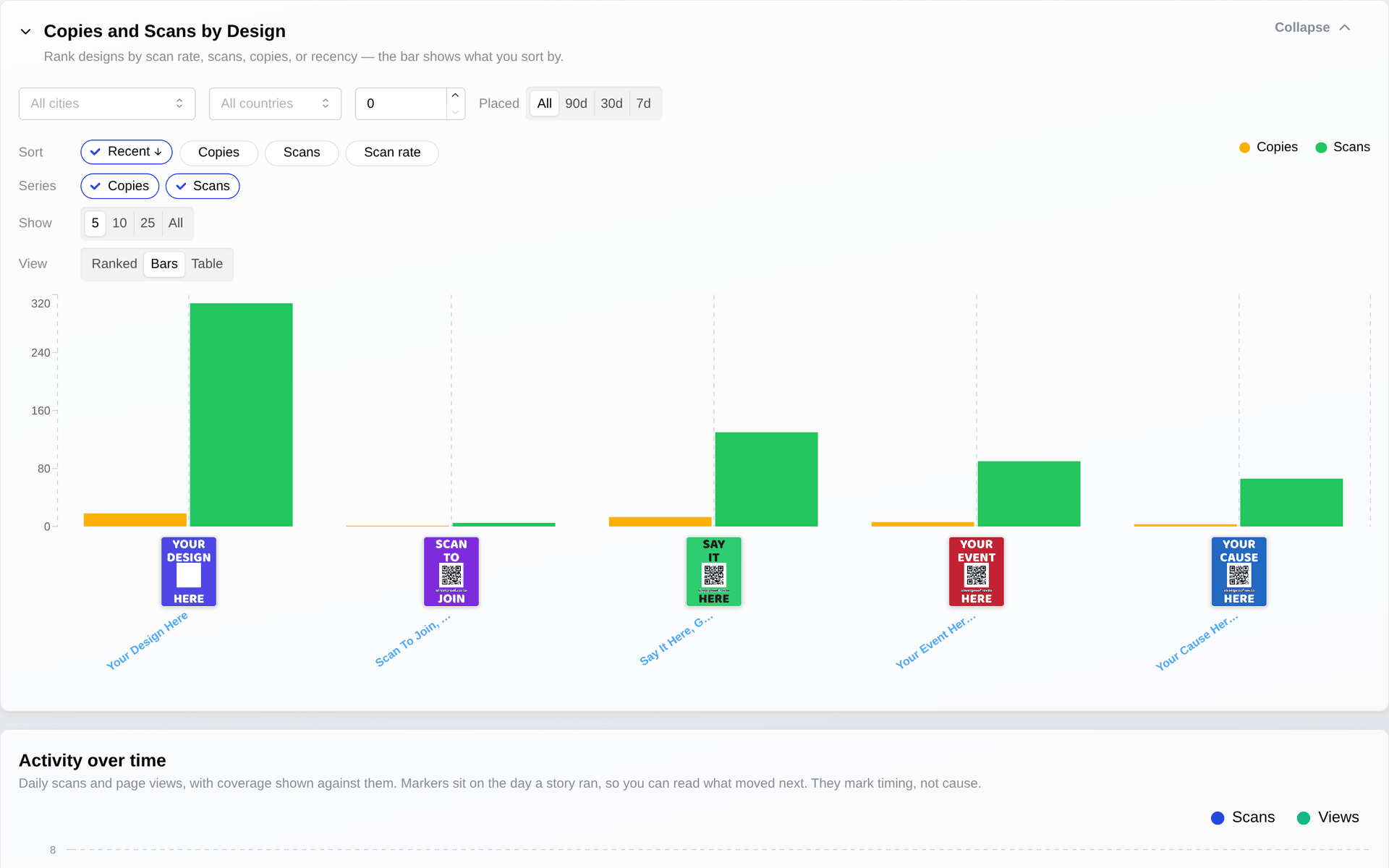
A code ties each scan to the copy, design and place behind it. You see where scans concentrate, which design draws more of them, when a place goes quiet, and how people answered the poll the code opened. TraceReach counts scans and poll answers by place and design; it does not identify the person who scanned.
Stencil photo: Muzammil (CC BY-SA 4.0)
What TraceReach calls things
- Drop
- A poster, sticker, flyer, chalk message, canvass stop or mailed piece, logged where it happened. It carries a photo, the place, the time, the design and the campaign.
- Spot
- A place marked on the campaign map. Plan one ahead and assign it to a crew member, or mark one while you are out.
- Find
- A poster, sticker or QR code someone else put up. Your crew photographs it and logs where they saw it.
- Crew member
- Anyone who puts up your material with TraceReach Drop: a member, a volunteer, a contractor or a supporter. A Drop code is all they need to start logging, with no sign-up and no email. Together they are your crew.
- Run
- One round of work in a campaign: a set of Spots and the Drops logged at them.
- Hub
- Your group's workspace, holding its campaigns, people, designs and records.
- Scan
- One read of a TraceReach QR code, tied to the copy, design, place and campaign behind it.
- Short link
- The address a QR code opens. Change it after printing and the scans stay with the same campaign.
Questions people ask
What can I learn about a poster with no QR code?
How long it stayed up, what happened to it, and who wrote about its campaign. Your crew marks a copy removed when they find it gone, with the day it came down, whether it was torn down or defaced, and a note. Studio counts the days each copy stood, and the design report shows how many copies of each design are still up and how many came down.
Stories and posts about the campaign go on the campaign or design they mention. Comparing designs by scans, or finding the places with the most scans, needs a QR code on the copy.
Does TraceReach track where my crew is?
TraceReach records where each Drop happened, and that is the only location it keeps. There is no trail of where a crew member walked and no live position on any screen.
TraceReach Drop reads GPS only while the app is open, and on iOS and Android it asks only for while-in-use location. Close the app and it stops reading location.
How does my crew avoid putting two copies in the same place?
Everyone works off one map, so a volunteer or contractor who joins late sees where the rest of your crew already worked. You assign them Spots to cover again, or fresh ground.
Set a minimum distance between copies of a design, and a copy logged closer than that is refused. A Spot counts a copy as up for a set number of days. After that the Spot is open again, so the same wall gets a fresh copy on schedule. Mark a place as off limits and it shows red on every map.
How does TraceReach show where and when a copy went up?
A crew member opens TraceReach Drop where the copy goes up, scans the QR code if it has one, and takes the photo. The location locks when the shutter fires, accurate to within a few meters in good conditions. The record keeps the photo, the place, the time, and the campaign and design behind it.
If the Drop belongs to a Spot, Drop checks the photo was taken there. You choose whether a photo taken too far away is flagged or refused. With no signal, the Drop is saved on the phone and uploads when signal returns.
Can TraceReach show press and social posts about a campaign?
Yes. Add a news story, blog post, newsletter, broadcast or social post to the campaign or design it mentions. Paste the link and Studio fills in the title, source and date from the page, shows the story on that campaign or design, and marks it on the Analytics timeline.
A reach figure is labeled as the source's claim, so it never reads like a scan count.
Can TraceReach read what the material says?
Yes. Studio reads the words in each Drop's photo: print, handwriting and chalk. A QR code the camera missed is found in the photo too. The words are marked as a machine read until someone on your team confirms or corrects them.
The same message logged in several places groups on the map with a count, and you can search the map by message. A design's words are read once from its artwork and carry over to every copy of it. Reading the words on photos and designs comes with Network and Custom.
Can my crew log QR codes we did not put up?
Yes, as a Find. A Find keeps its own photo, place, date and notes, and sits on the map beside your Drops and Spots, so you can see what else is up in a neighborhood.
What happens when someone scans a TraceReach QR code?
The code opens whatever you point it at: a landing page, a petition, a video, a poll or any web address. Change the destination after printing and the scans stay with the same campaign.
Each scan is tied to the copy, design, place and campaign behind the code, along with what the visitor did on the page. TraceReach counts scans and page actions; it does not identify the person who scanned.
Is TraceReach a QR code generator?
A QR code on a copy opens what you set up in Studio: a landing page, a video or a poll. Scans, page actions and poll answers then come back into your reports as counts. Give each copy its own code and each scan is tied to that copy and its place; copies that share one code count scans for the design.
Making the code is the small step that connects the street to the page and the poll. A copy with no code still gets its record: the photo, the place and the day it went up.
Can we share a campaign with another group?
Yes. Invite their hub as a partner and choose what it sees: your designs, the map of your Drops, or both, across every campaign or only the ones you pick. The partner sees any of it only after accepting the invitation, and you can revoke the share at any time.
What is the difference between TraceReach Studio and TraceReach Drop?
Studio is the web app where your team plans the campaign and reads the results: designs, QR codes, landing pages, polls, Spots, Runs, the map and the reports. The AI assistant in Studio drafts a campaign from a description, with its designs, landing page, poll, Spots and Runs, and you see each change before you apply it.
Drop is the phone app your crew carries, on iOS and Android. They log Drops with a photo, pick up the Spots assigned to them, log Finds, and keep working offline.
How much does TraceReach cost?
Individual is free for one person, with 1 campaign, 5 design templates and 100 Drops.
Team is $129/month with 25,000 Drops. Network is $419/month with 100,000 Drops. Custom includes Network, plus changes to TraceReach built around your needs, with the price agreed with you. The AI assistant comes with Team, Network and Custom.
Go deeper
Diese Seite gibt es auch auf Deutsch.
Put your next campaign on the record.
Open your own private workspace today, no invite needed. Bring your whole team on when you want a public campaign.