Dynamic QR for Crews
Coordinate your crew and Drops across a Run, on one shared map.
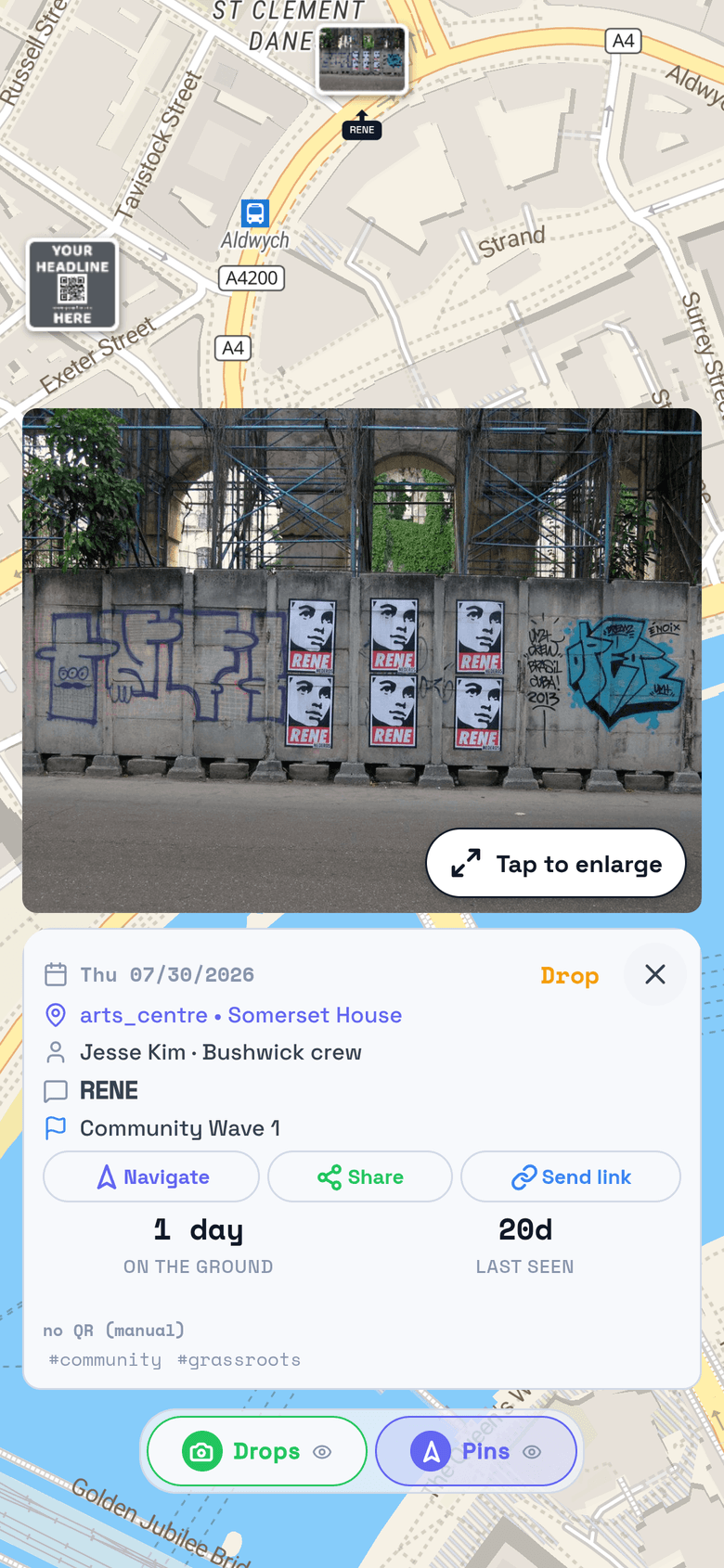
TraceReach pins each poster, sticker, and flyer your crew puts up to the place and day it went up, with a GPS-locked photo. Bring your crew on, assign the Run on one map, and where your design carries a dynamic QR code, change where it points after it prints and read each scan back to the design and place.
TraceReach puts your whole crew on one shared map.
Bring your crew on
Add crew members in Studio, or generate a Drop code right inside Drop when someone joins on the street.
Assign a Run
Watch each assigned Spot turn into a verified Drop, each with a GPS-locked photo tied to the place and day. The map answers, so there is no group chat to chase.
Read the response
A dynamic QR code repoints long after it prints, and each scan reads back to the design and place that earned it.
Guerrilla and wildposting crews work off this same record, in-house or alongside an agency you already use.
TraceReach records where a Drop occurred. A Drop is a logged campaign activity, and its coordinates describe that activity. TraceReach does not continuously track the location or movement of your crew.
“How does your crew get set up?”
Bring your crew on, give each member a Drop code
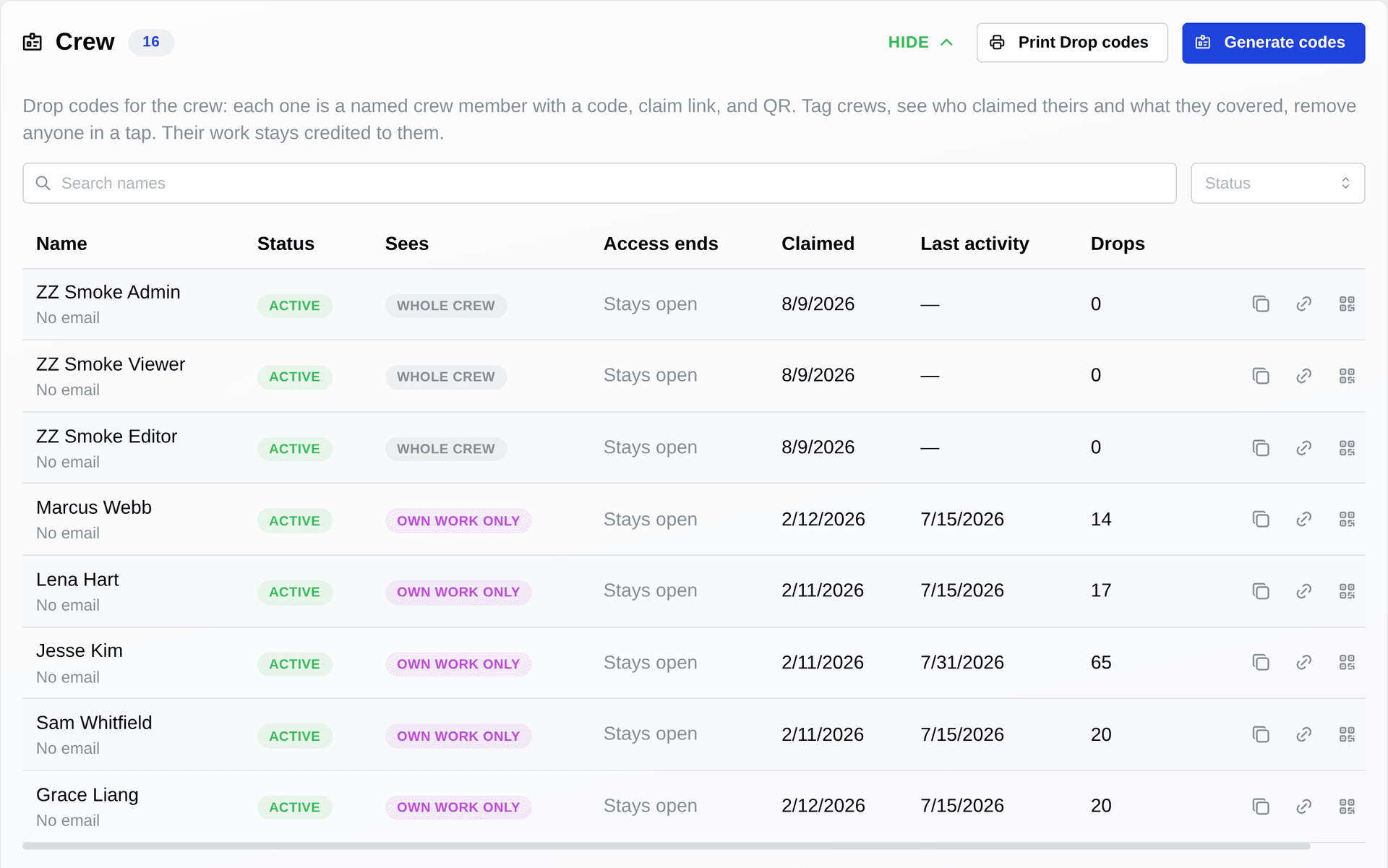
Add crew members to a Run and generate a Drop code for each one in Studio, or mint one right inside Drop when someone joins on the ground. Each member claims theirs from a claim link or QR code, and the campaign shows up on their Drop map with the Spots assigned to them. You see who is on your crew and what each person is covering.
“What is up right now, and where?”
A GPS-locked photo behind every drop
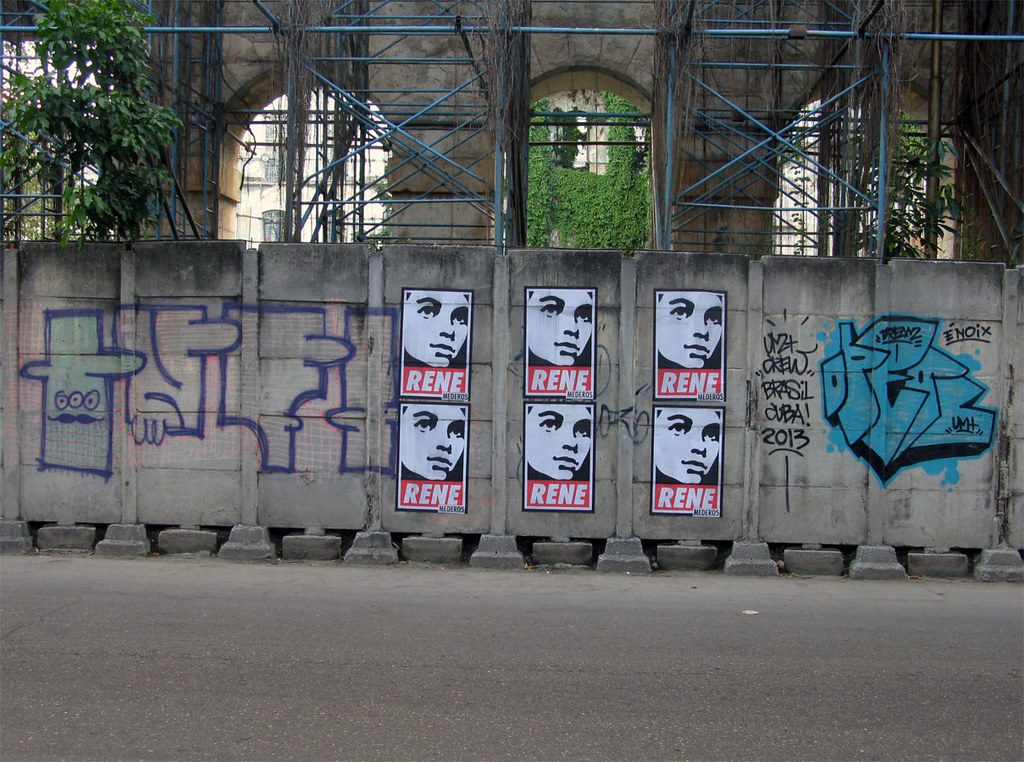
The moment a poster, sticker, or stencil goes up, your crew member logs a Drop: the photo locks to its coordinates, and the place, date, and design stamp onto the record. A Drop with no QR code earns the same record, so the map holds the whole campaign, including pieces that fade or get torn down.
“Which corners respond?”
Point a dynamic QR code at each design, read the scans back
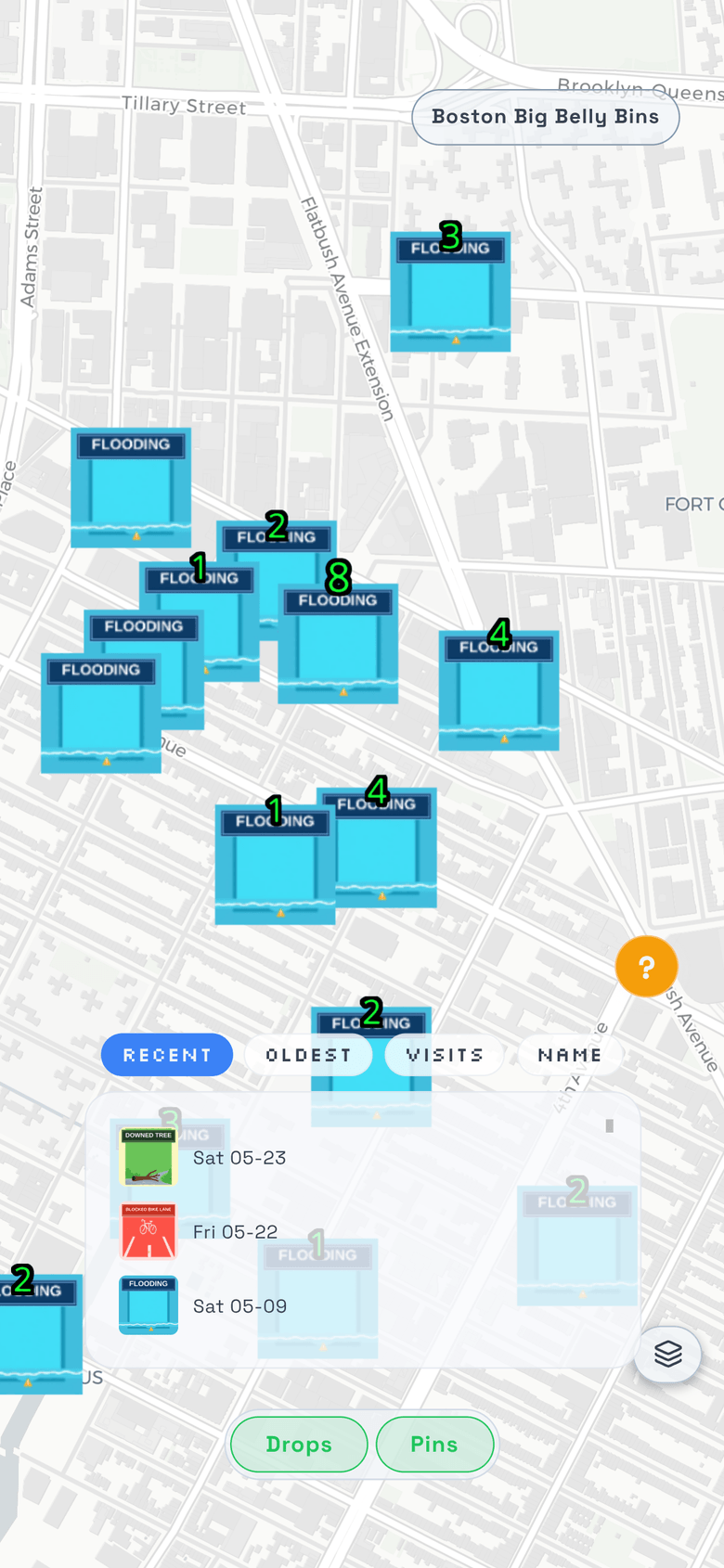
Where your design carries a dynamic QR code, each scan ties to the Drop behind it, and you change where the code points long after the run prints. A heat overlay shows which corners draw scans and which stay quiet, design compares against design, and a code that goes silent tells you the piece is probably gone. You decide what to reprint and where the next Run goes on the numbers, not a hunch.
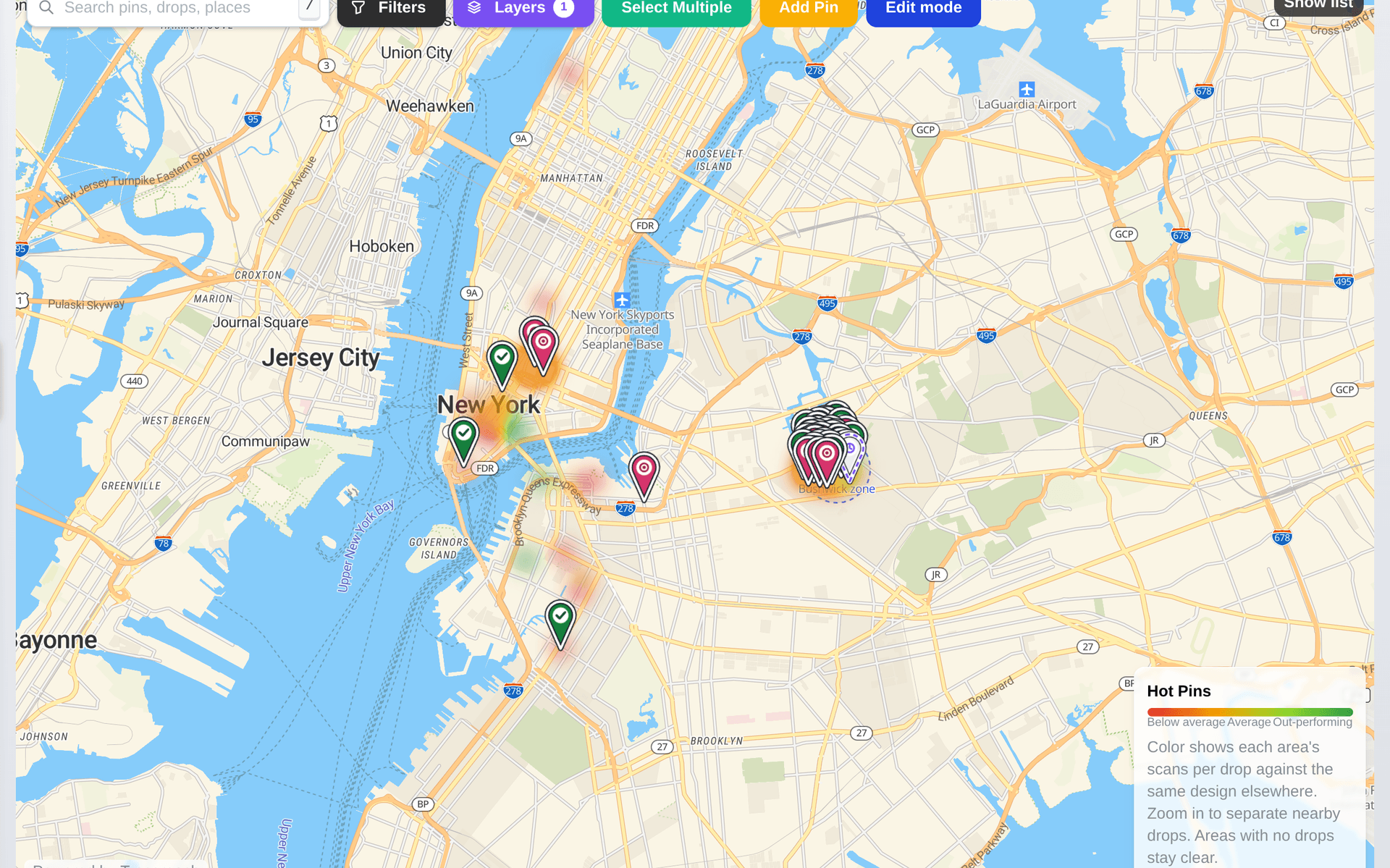
“Where does your crew go next?”
Spots: plan the Run, assign it, watch coverage fill in
Spots are how you route your crew: mark a corner on the map, name it, and assign it to a member or a crew. Each assigned Spot turns into a verified Drop once the work is done, so coverage fills in on one shared map instead of a group chat. You see which Spots were completed and documented, and where the gaps are, before you send the next Run.
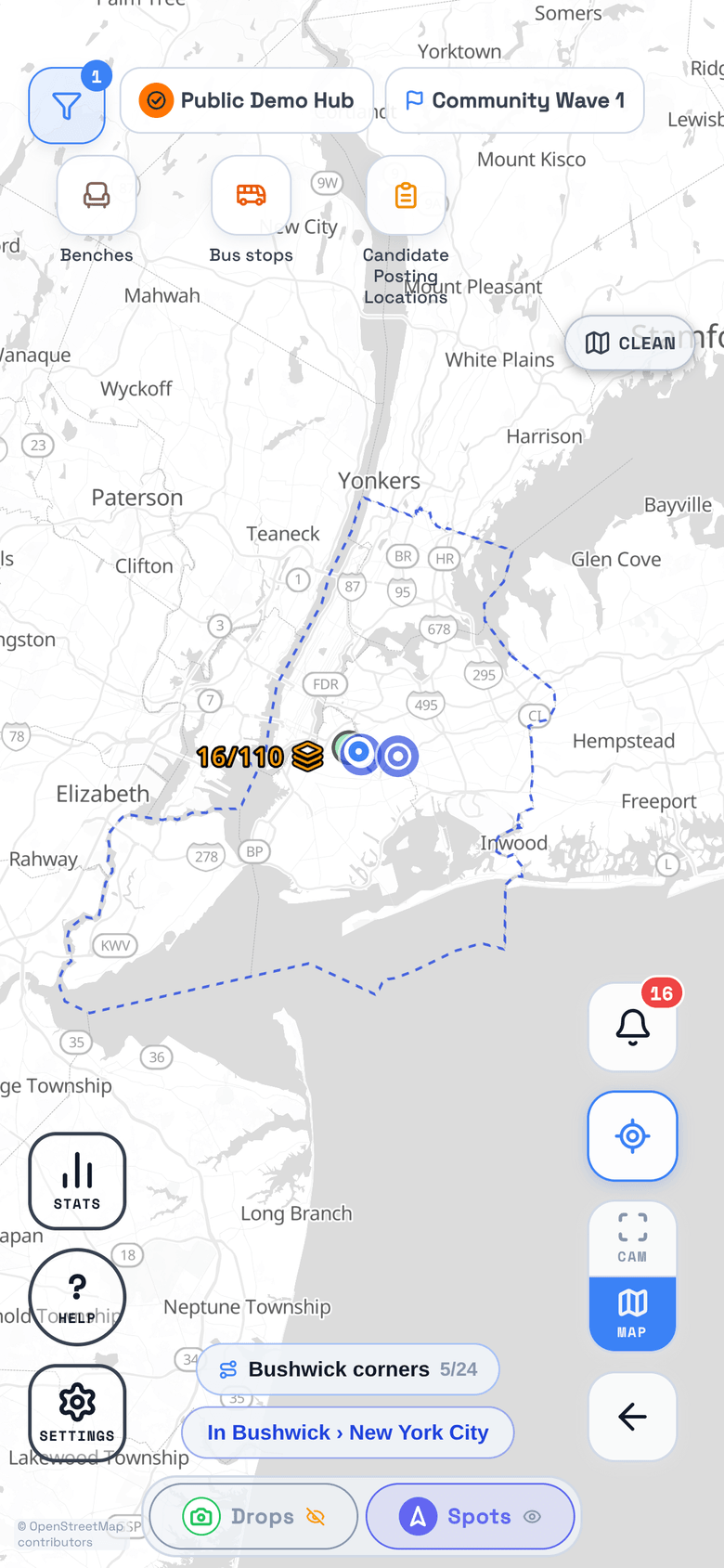
A crew works off the same record whether or not the material carries a code. Go deeper on the pieces that do:
Put your whole crew on one shared map.
Open your own private workspace today, no invite needed. Bring your whole crew on when you want a public campaign.