Start building free in your own private workspace. Open Studio →

Per design, per place

Track QR codes on stickers, flyers, and posters.

Print a dynamic QR code, change where it points after the run, and connect each scan to the design, drop location, GPS-photo record, and landing behavior behind it.

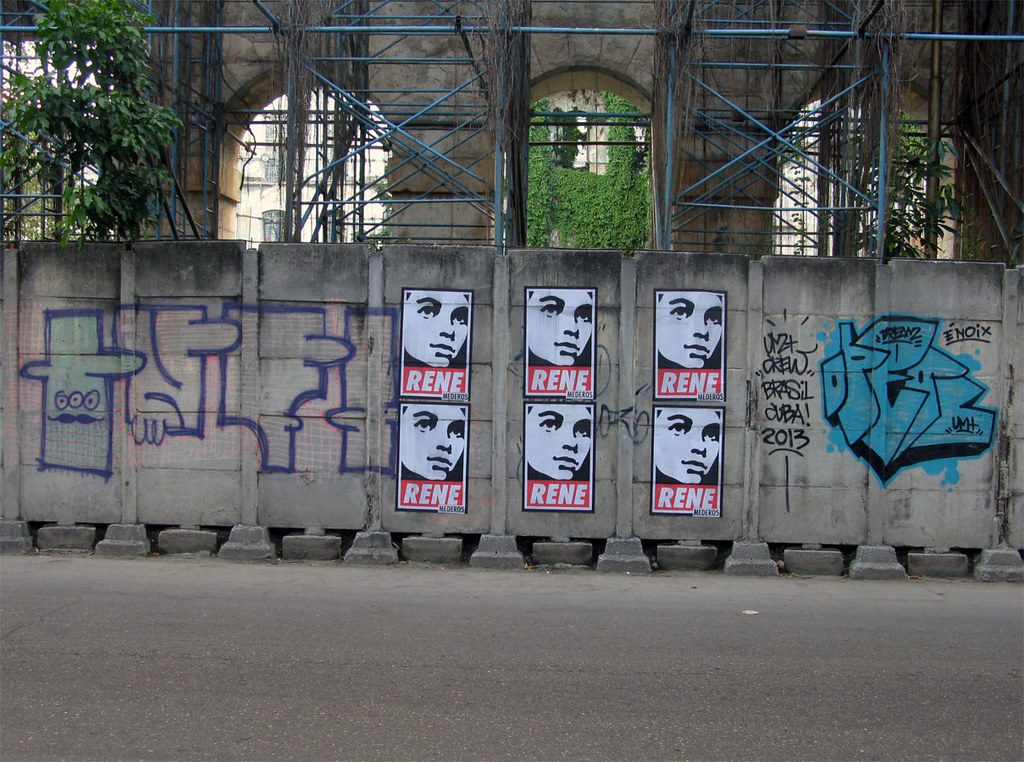
Wheat-pasted campaign posters on concrete barriers with graffiti, urban street.
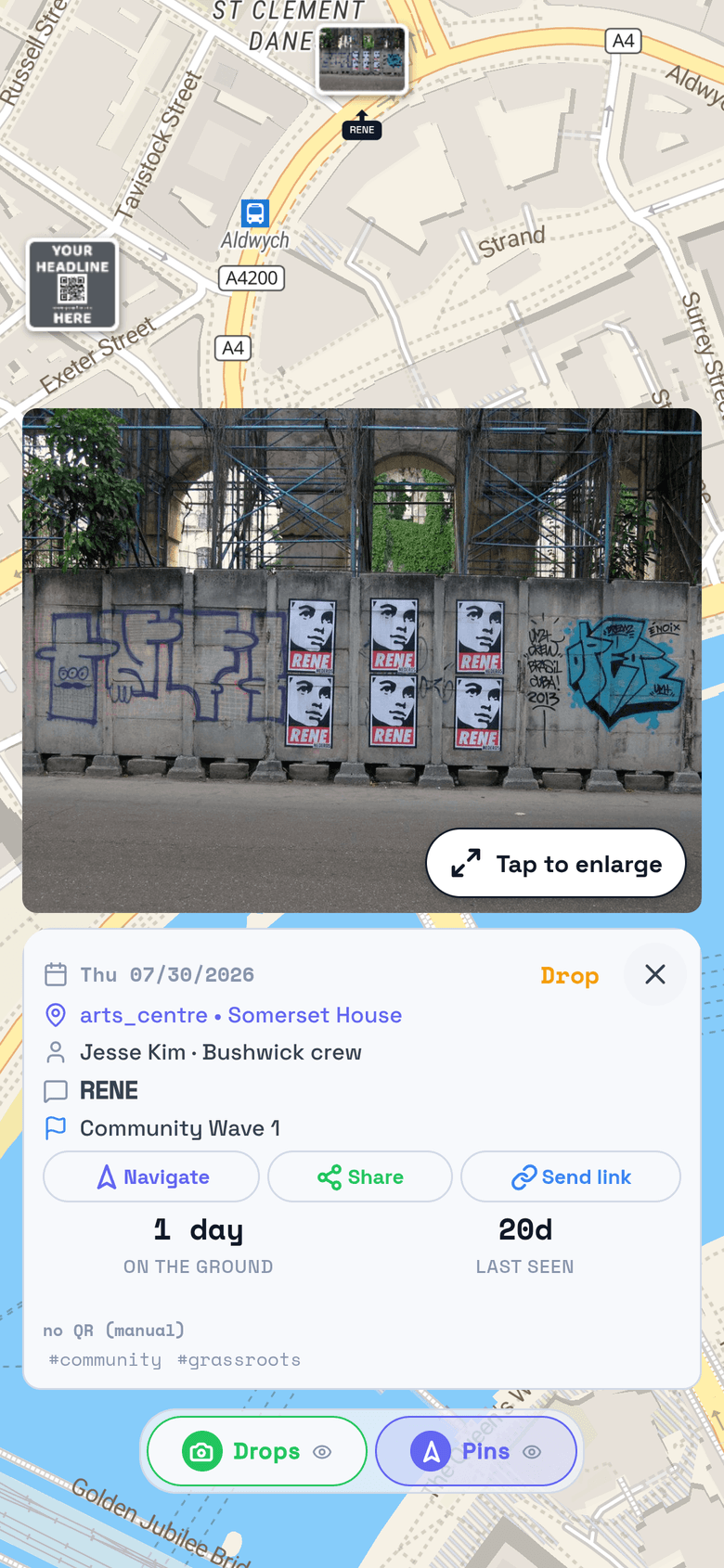
The same wall as a drop on the map, with photo, place, and time

Photo by Poster Boy NYC (CC BY 2.0)

Trackable flyers start with a QR code, but most QR-for-print tools stop at one scan count for the whole run. TraceReach ties each poster, flyer, and sticker to the campaign behind it: a crew member takes a GPS-locked photo at the moment it is placed, and the photo, place, date, team, and assignment attach to the asset. When someone scans the QR code on the back of a flyer or the front of a poster, the scan traces straight back to that context.

One record per drop

How to track sticker and flyer QR codes

The print format changes how the material moves through the world. TraceReach keeps the same useful facts attached in each case: what went out, where the drop happened, when it happened, and what people did after scanning.

Track sticker QR codes by place and design

Put an attributed dynamic QR code on the sticker. When a crew member places it, TraceReach Drop logs a photo, coordinates, date, and design. Studio then shows which sticker drops are getting scanned and which places have gone quiet.
Track flyer QR codes across a distribution run

Log where flyers were handed out, posted, or left for pickup. Each QR scan reads back to the flyer record behind it, so you can compare designs and distribution areas instead of stopping at one total for the whole print run.

Track poster QR codes while they stay up

Pin the poster to its wall, pole, or board with a dated photo. Compare scans by poster and location, and use a sustained drop in scans as a signal that the material may need a visit.

Dynamic QR codes you can repoint after the print run

Print the code once. Change where it sends people whenever the campaign changes, without reprinting a single poster. Poster tracking carries through every repoint: scans still trace back to the design, the pin, and the day it went up, so a dynamic QR code on print reads like a channel you can measure, not a static link you set once and forgot.

“Did the asset get placed?”

GPS-photo proof on every drop

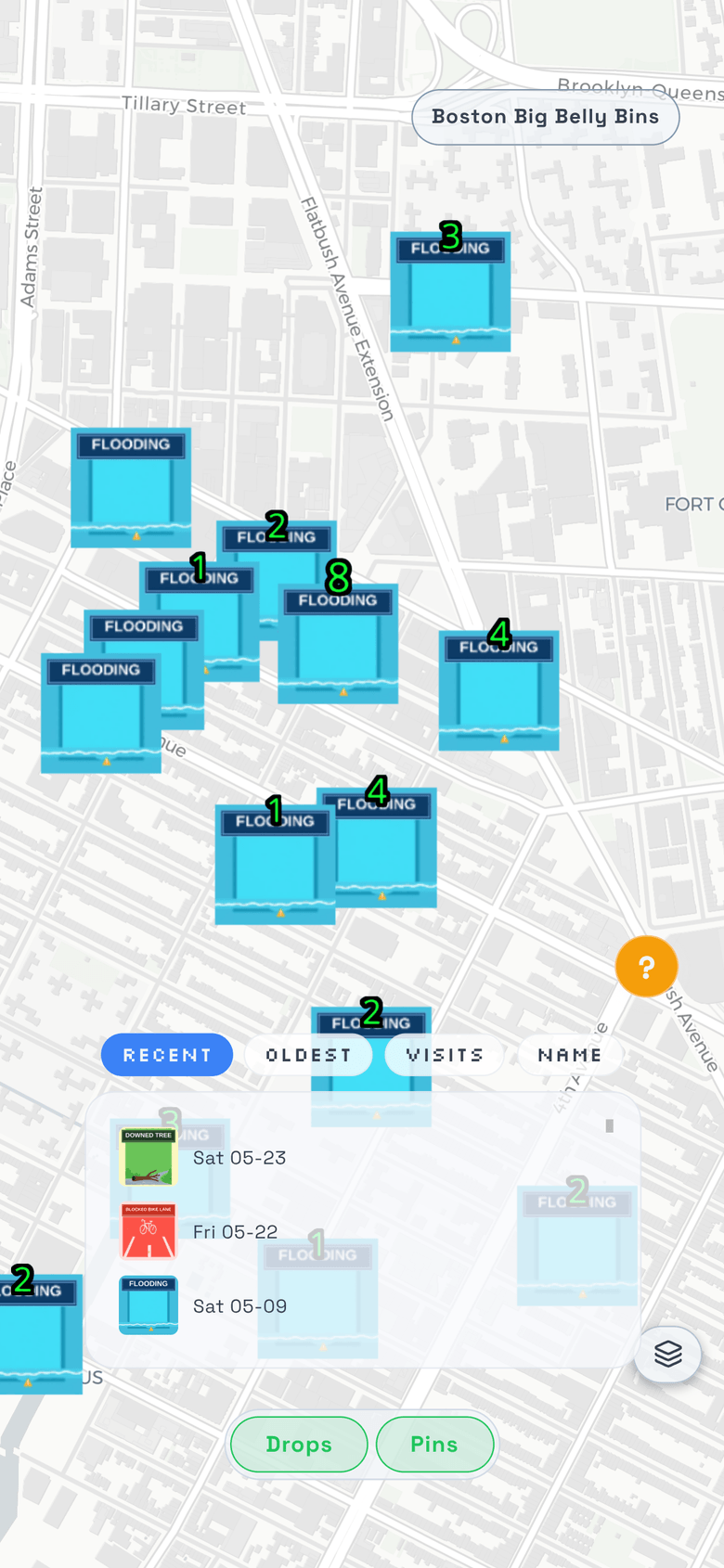
Scan the code, take the photo, and the drop locks to its coordinates the moment the shutter fires. You get QR code location tracking with a photo to back it: each code sits on the map where it went up, with the assignment, date, and campaign context stamped on it. A record without a QR still earns a pin, so non-scannable drops are visible too.

Recent drops on the map, each with its design and date

“Which design draws action?”

Engagement traces back to the source

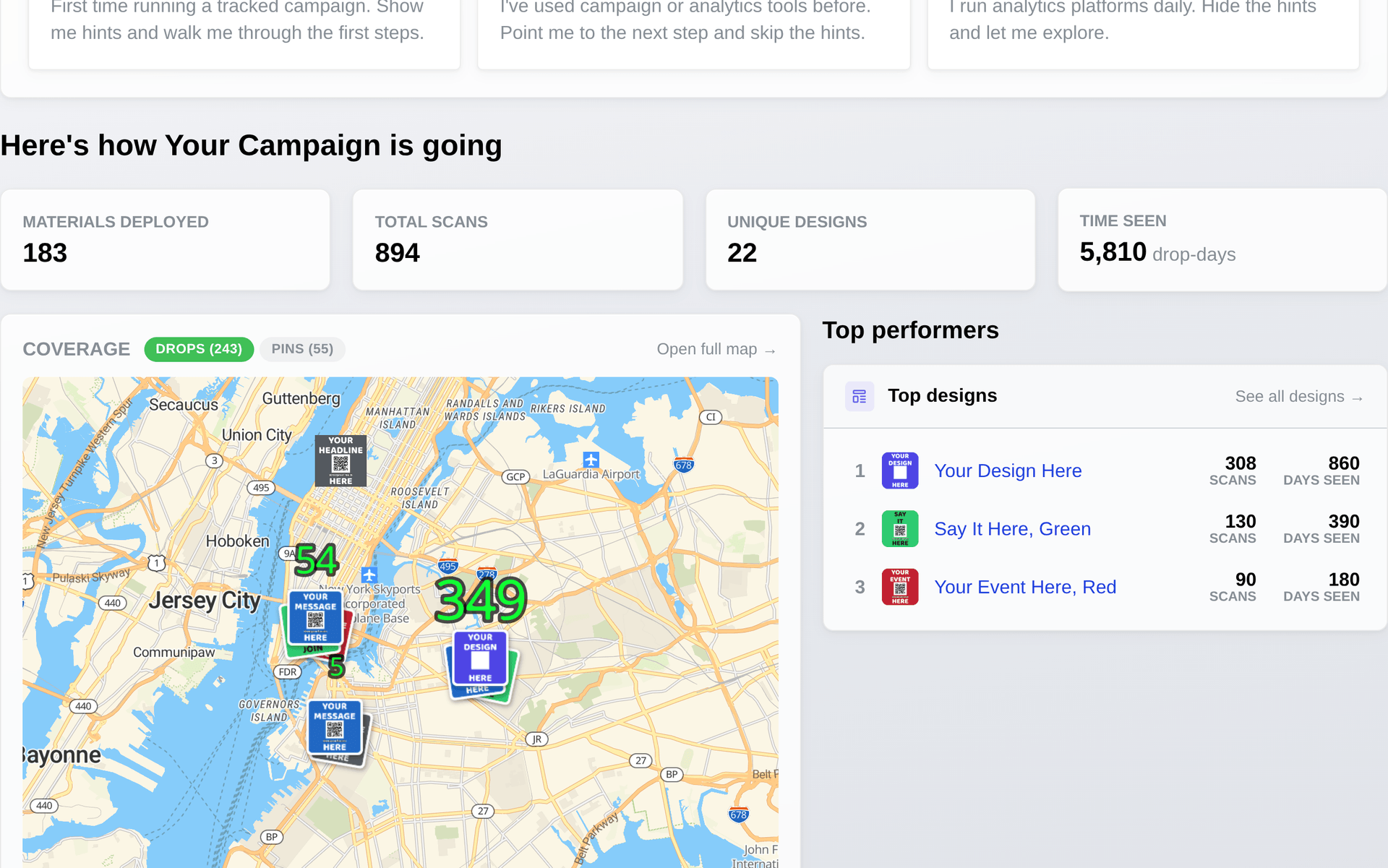
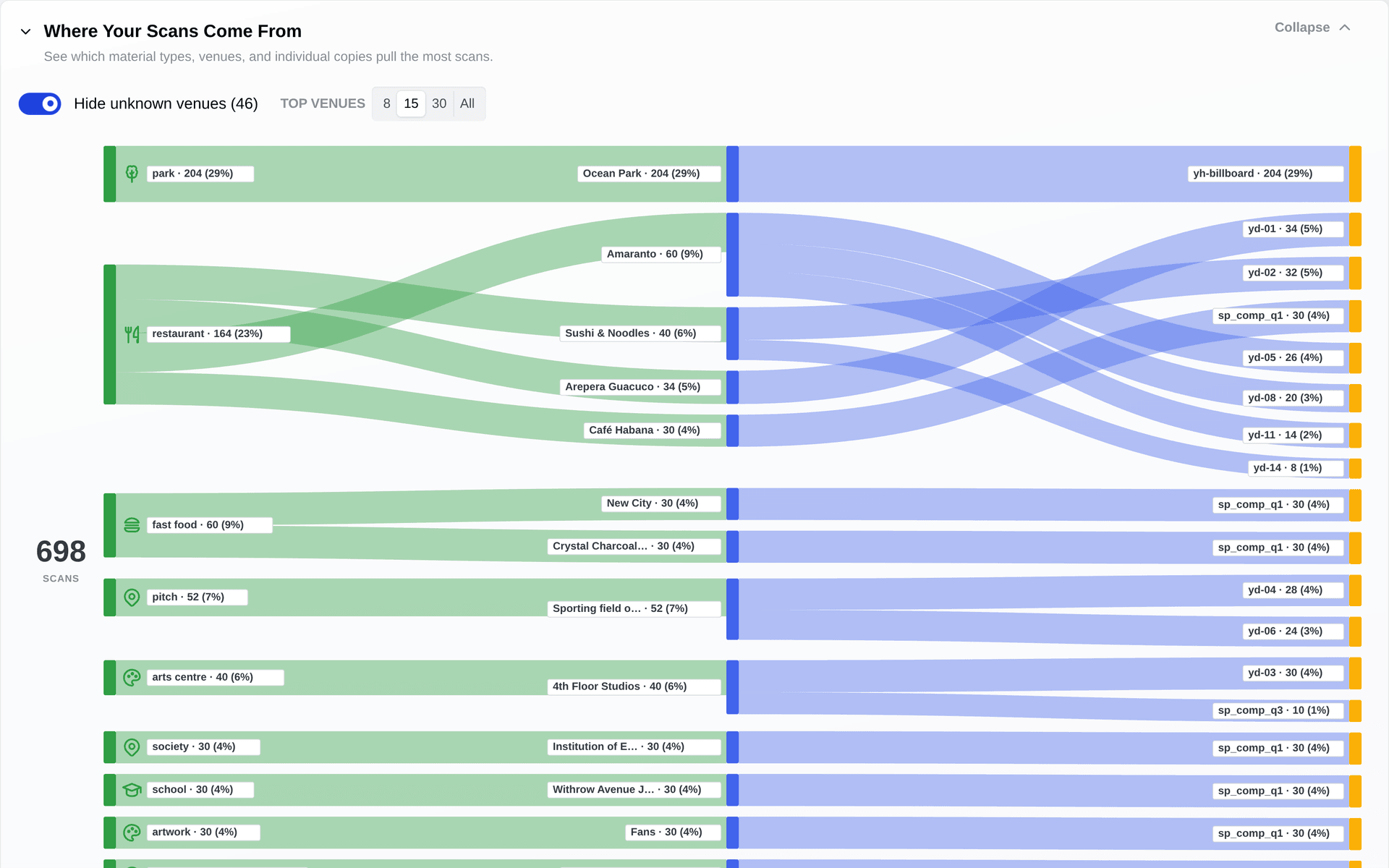
Run multiple assets across the city and compare which ones earn scans, visits, clicks, and video attention. Each scan, visit, and click ties to the asset and pin behind it, so you compare asset against asset and street against street with the numbers in front of you.

studio.tracereach.app
Design-vs-design scan comparison in TraceReach Studio

“When did a corner go quiet?”

Silence is a signal too

When a QR code goes quiet, the material is probably gone. TraceReach flags where it went cold and by how much, so an empty wall shows up as a quiet corner instead of a line you keep funding by default.

studio.tracereach.app
Scan trends and dead-zone detection

Common questions

Sticker and flyer QR tracking

What makes a flyer trackable?

A dynamic QR code on the flyer carries the scans, and the drop record carries the context. Your crew member logs the flyer where it goes up with a GPS-locked photo, so the design, the place, and the day sit on the same record as the scans that follow. Read that record and you see which designs and which streets are earning scans, rather than one total for the whole print run.

Can I track a QR code on a sticker?

Yes. Print an attributed dynamic QR code on the sticker, then have a crew member log the sticker with TraceReach Drop when it goes up. TraceReach keeps the photo, place, date, design, and later scans on the same record.

How do I track flyer QR code scans by location?

TraceReach ties the scan to the place where the flyer drop was logged, so scans group by street, neighborhood, and design. This is the recorded distribution location, not a claim about the scanner's exact GPS position. Compare flyer drops, designs, and neighborhoods in Studio as scans arrive.

What is the best way to track flyer scans back to a specific neighborhood?

Give each neighborhood its own attributed dynamic QR code before the run, then have your crew log every flyer drop in TraceReach Drop as it happens. The photo, coordinates, day, and design land on one record, and scans on that code read straight back to it. Put two neighborhoods side by side in Studio and decide where the next batch goes.

Can I change a sticker or flyer QR destination after printing?

Yes. TraceReach dynamic QR codes can point to a new destination after the materials are printed. Their scan history stays connected to the original campaign, design, and drop record.

“Where do dozens of drops stand?”

Pins: plan it, assign it, prove it

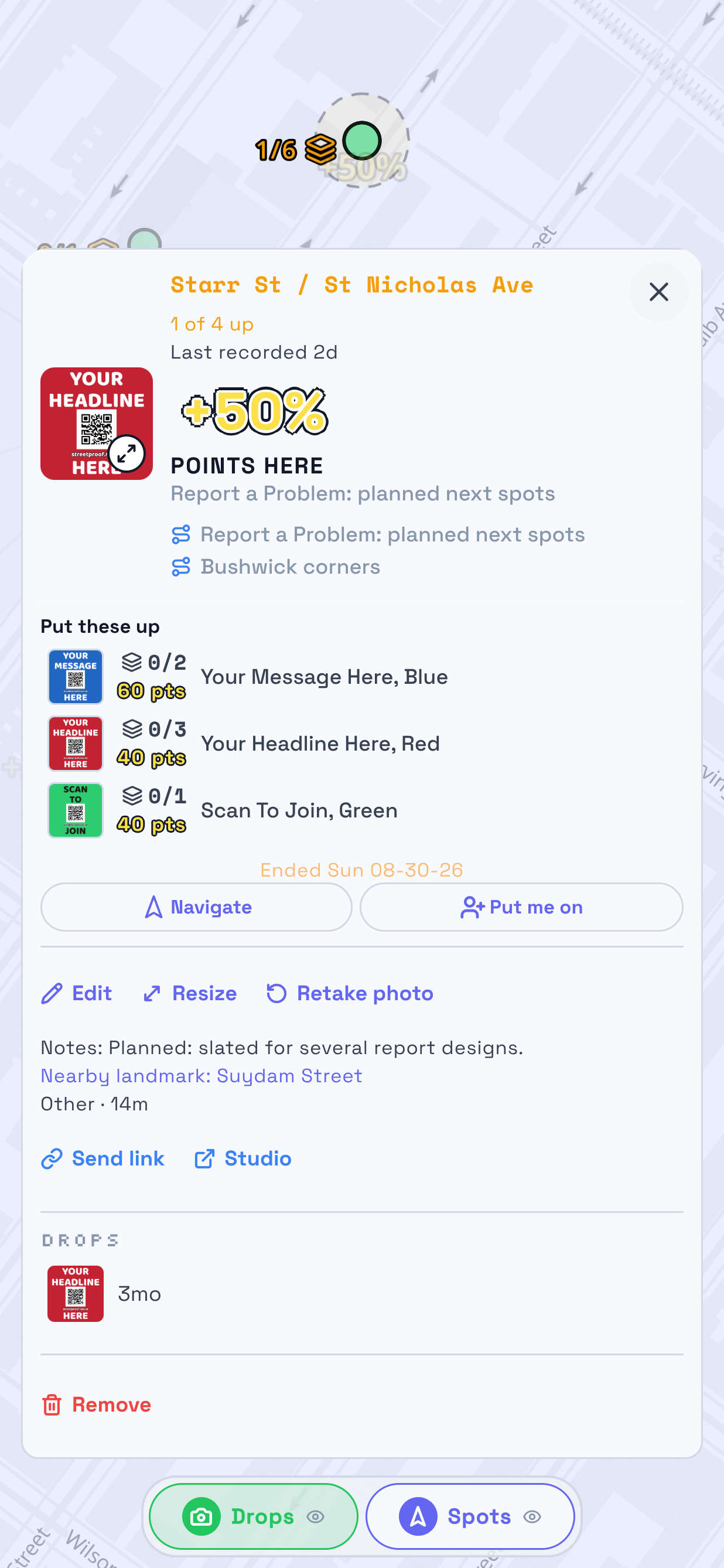
Pin a location on the map, name it, and assign it to a crew member. Your crew knows where to go next, and the live map shows plan, assignment, proof, and coverage instead of group chats and spreadsheets.

studio.tracereach.app
A zone of pins in TraceReach Studio: covered ones green, open ones with their coverage count, planned ones dashed

Track your next ground campaign.

Open your own private workspace today, no invite needed. Bring your whole team on when you want a public campaign.