
Get the app
TraceReach Drop
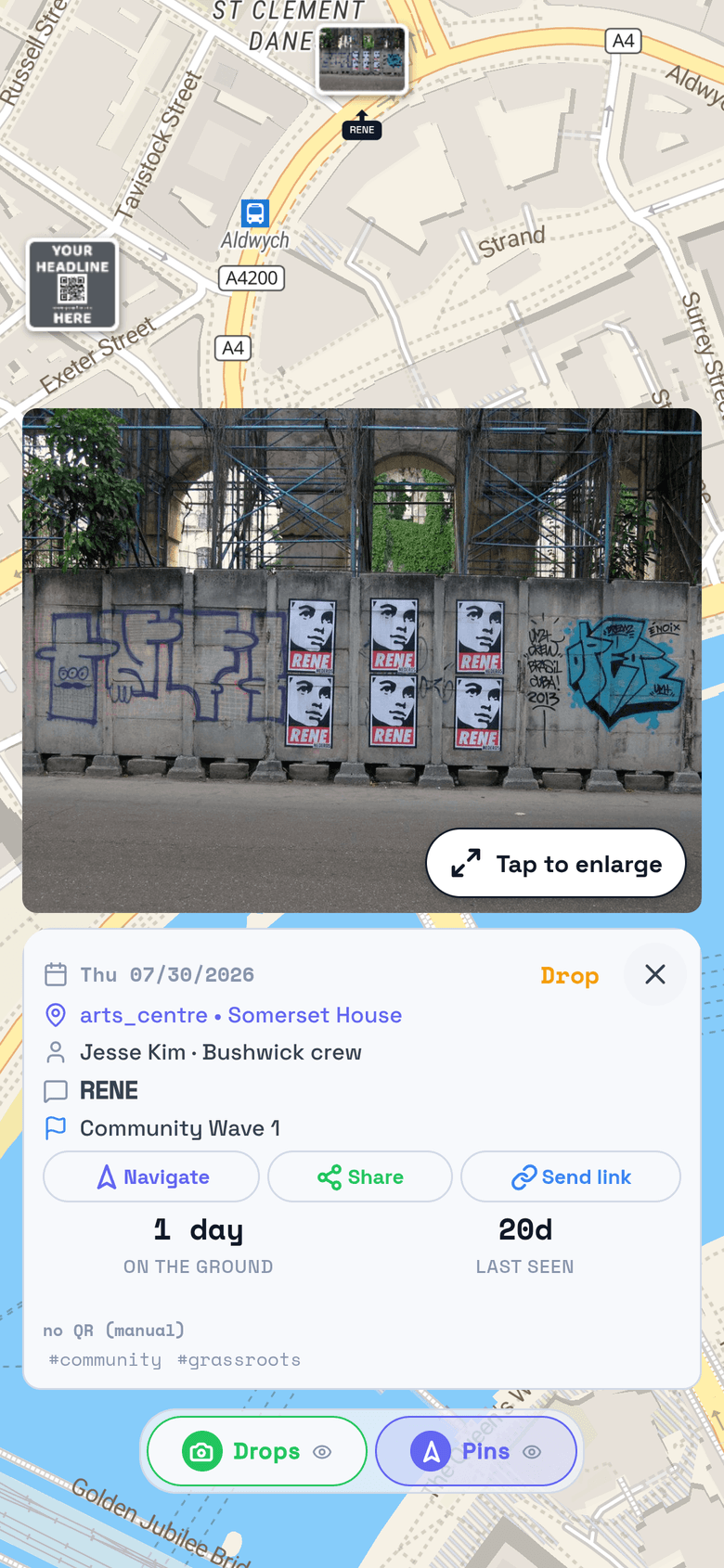
Log what went up, where, and when. Each drop carries a GPS-locked photo and syncs to your hub’s map.
From the store
Latest build
Get updates the day we publish them. Store approval can take weeks.
The APK: Android asks once whether to allow installs from your browser. Say yes, then tap the downloaded file.
Get every update the day we publish it.
Apple and Google sometimes take weeks to approve an update for their stores. TestFlight and the APK skip that wait. If Drop asks you to update after a store install, install the latest build: TestFlight on iPhone, the APK on Android.
Rather skip the install? Open Drop in your browser. Stuck on something else? Help.
Log a drop in seconds
Take the photo and the app stamps the coordinates and the date onto it. The record is written where the work happened, not typed up afterwards.
Keep logging with no signal
Drops queue on the phone in a basement, on a back street, anywhere the bars run out, and sync themselves once the signal returns.
See where to go next
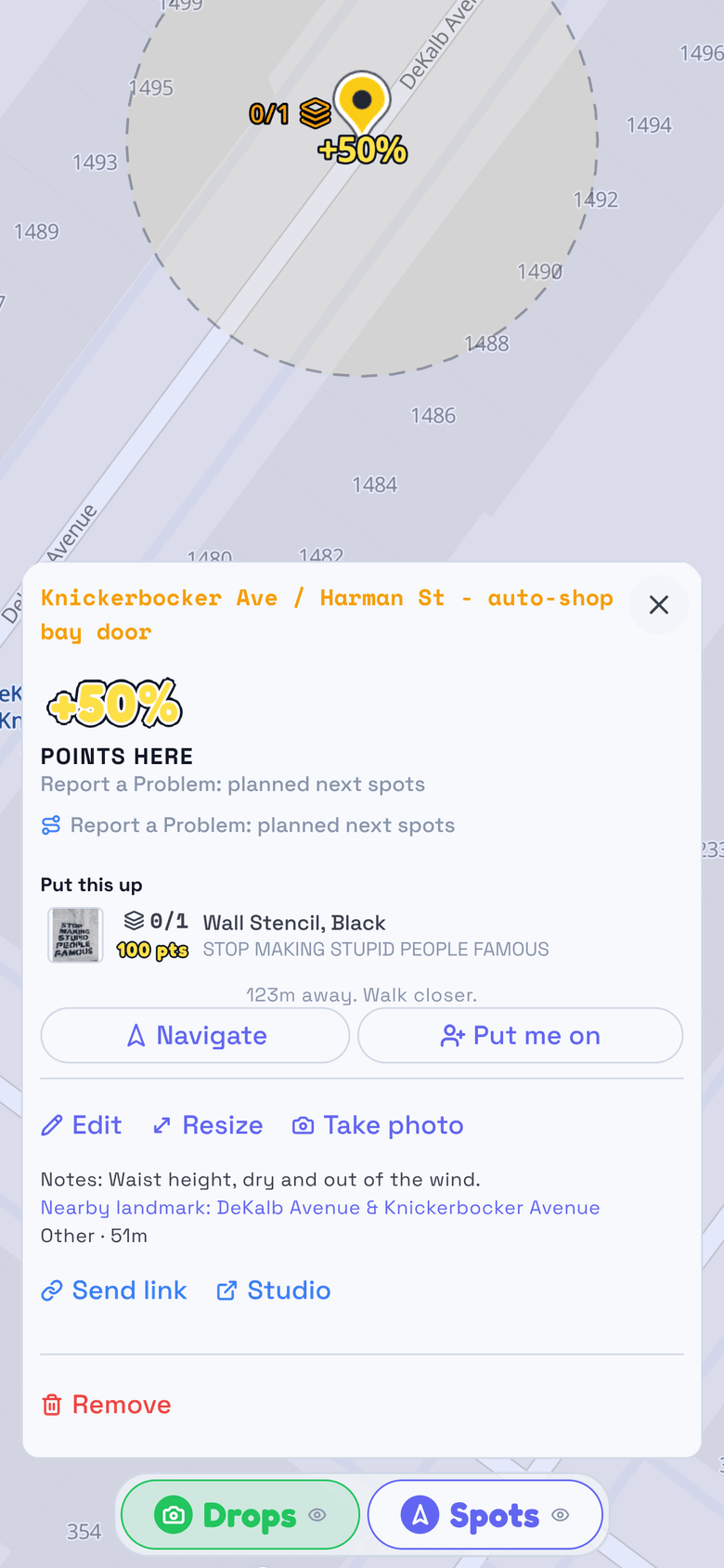
Spots your hub or your team assigned show up on the map beside your own. Walk the map, clear the spots, watch coverage fill in.
Street photos: Muzammil (CC BY-SA 4.0)
Mid-run
Chalk in hand, drawing a blank on where next.
You have worked this neighborhood before, and tonight nothing is coming. Open Drop and the trail is right there: where your crew chalked and postered last month, which corners drew scans, the spots someone marked for a night like this. Tap one and it says what goes up there. At this one it is a stencil, sprayed straight on, and the drop keeps its photo, its place and its day, the same as a coded one.
Signing in the first time
Your hub sends an invitation to your email, or hands you a Drop code as a link, a QR, or a printed card. Open the app, accept or redeem it, and you are on your hub’s crew with the campaigns you have been given.
Help covers signing in and running a hub, and TraceReach Drop plays walkthroughs on your own screen once you are in.
Running a campaign and want your own hub instead? Ask for access and we will set one up with you.
Put your first campaign on the map
Start with one campaign, one crew, and the drops they log from the ground.
contact@tracereach.org