Set roles and who sees what
Three settings sit behind Edit on every row of your crew, and each one is a separate question with its own answer.
Where the settings are
- 01
Open their row, then Edit
The gear sits in the corner of the camera and the map, and Hub is the third of the four segments Settings opens on. Every row on your crew carries its own controls, and Edit is the first of them.
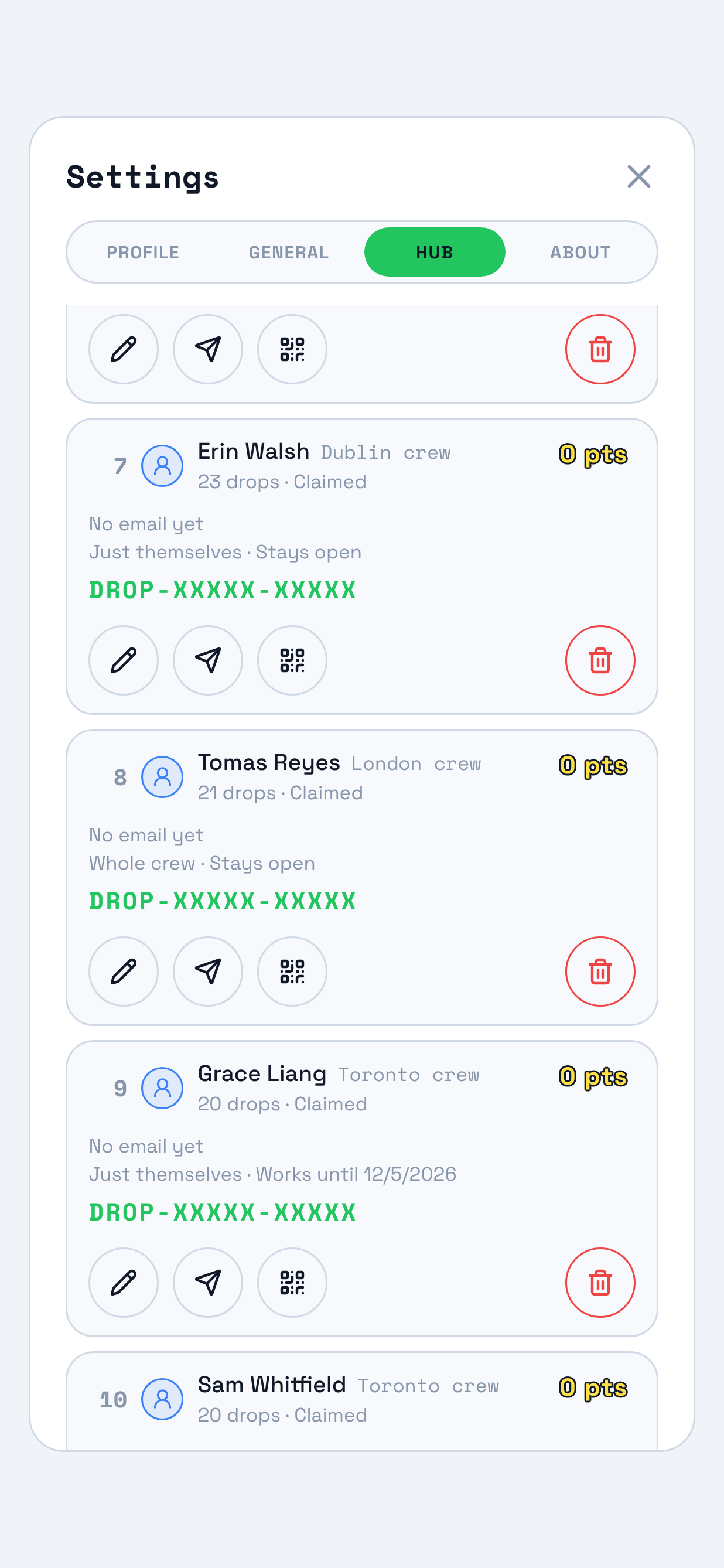
The row already prints what the sheet decides: how much they see, and when their access ends. - 02
The sheet asks three questions
What they can do, how much of your crew they see, and when their access ends. They are three separate settings, each saved the moment you press it, and each answered on its own below.
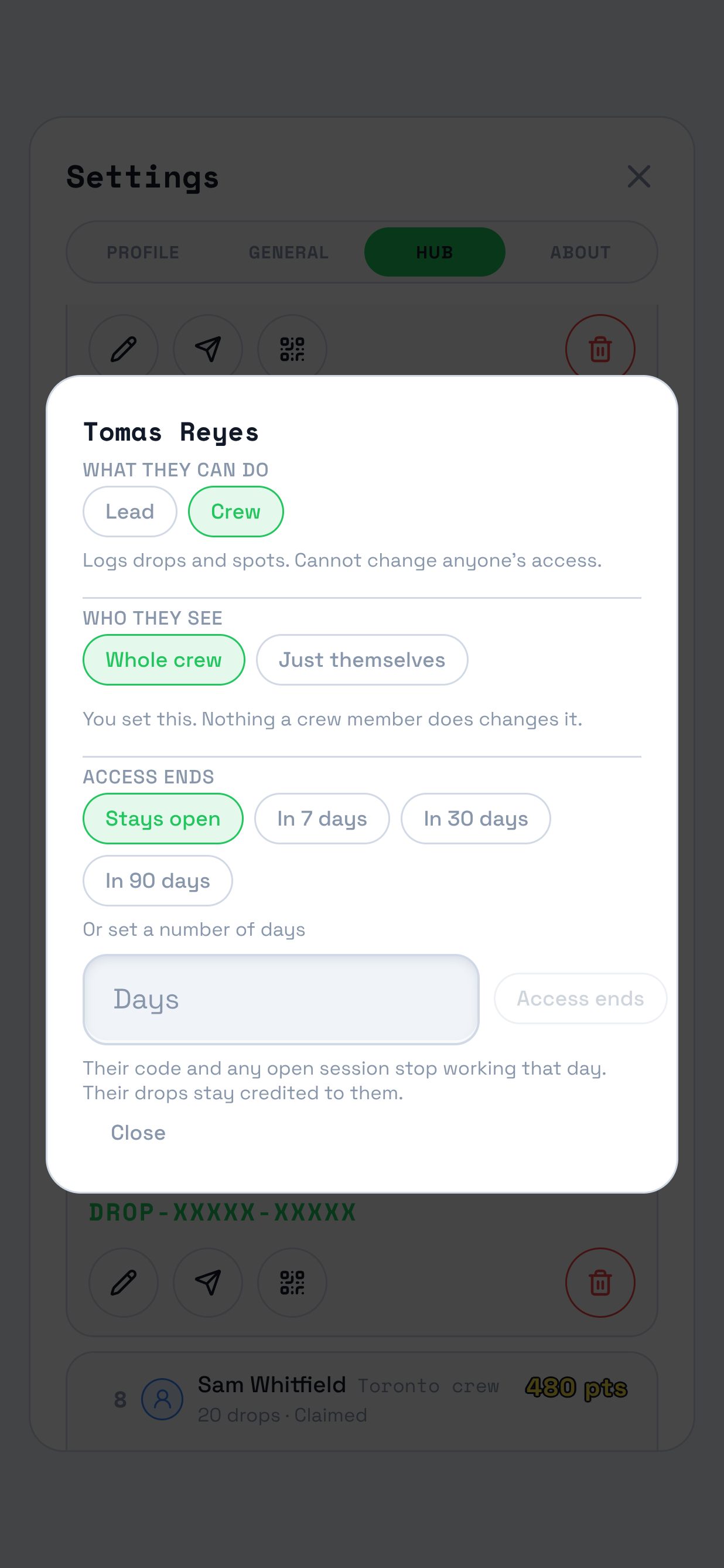
Nothing here is a draft. A chip you press is saved before the sheet redraws.
What they can do
Lead or Crew
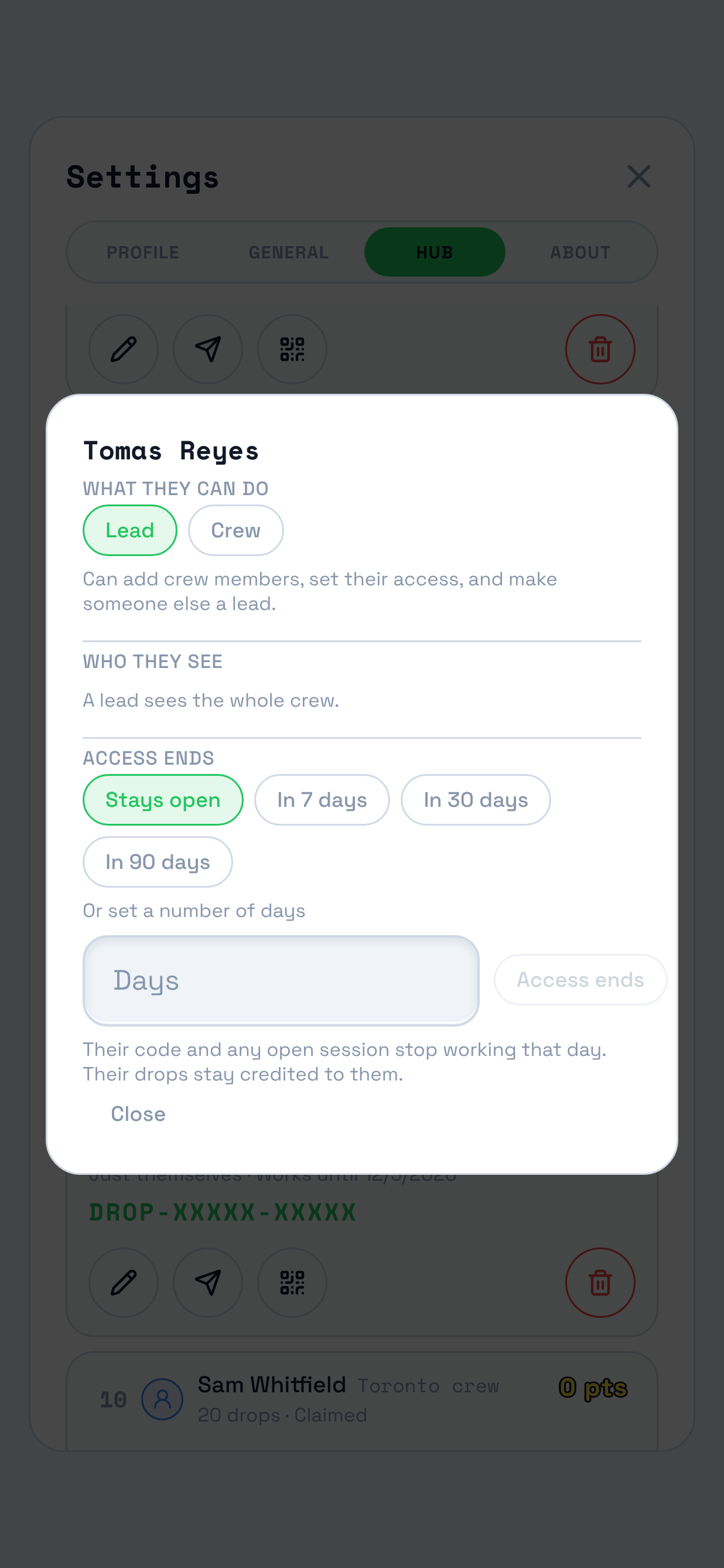
Crew is what everybody joins as. A lead runs your crew: they add people, set what those people can do and see, and appoint another lead.
- You appoint the authority you already hold, and never more than it.
- Making somebody a lead answers the question under it too, because a lead sees the whole crew.
- You cannot change your own row. Another lead does that, which is what stops a hub demoting its way out of having anybody who can run its crew.
Who they see
Whole crew or Just themselves
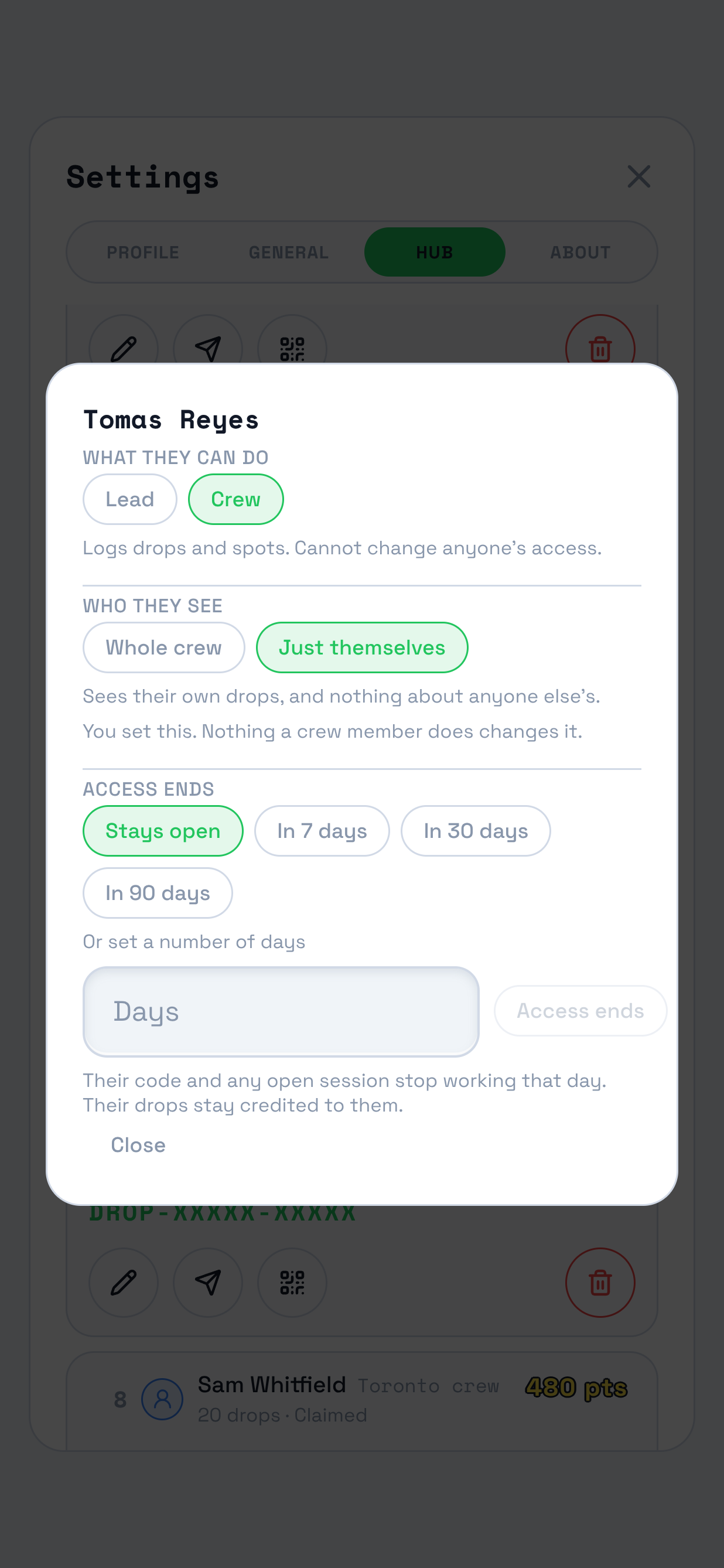
Whole crew is the setting everybody starts on. Just themselves narrows a person to their own work: their drops, and nothing about anyone else's.
- It holds three things back at once: the other drops on the map, the names on them, and the roster itself.
- They keep everything of their own, and they go on logging drops and spots as before.
- A lead cannot be narrowed. Make them Crew first, and the chips come back.
- Nothing a crew member does changes this. It is yours to set and theirs to work under.
Access ends
Stays open, in 7, 30 or 90 days, or a number of days you type
This is how long they are on the hub at all, and it is a separate question from how much they see. Somebody narrowed to their own drops can stay for years; somebody who sees everything can be gone by Monday.
- The day it lands, their Drop code and any session they still have open stop working, on their very next request.
- Their drops and their spots stay on the map, credited to them.
- Their row prints the date, so a lead reading the roster can see who is running out.
- Stays open is what a row sits on until you set something else. Setting it back to Stays open lifts the date.
Questions a lead asks
- Why can I not change my own row?
-
Another lead changes yours. A hub whose last lead demoted itself would have nobody left able to run its crew, so the server refuses a change aimed at the person making it.
The same holds for your own end date, which nothing in the app undoes once it is set.
- Somebody says the map looks empty.
-
Their row is on Just themselves, so the only drops they can see are their own. Open their row, press Edit, and pick Whole crew.
It is worth checking before assuming a sync problem: a narrowed member sees no other drops, no names, and no roster, which is what an empty hub looks like from the ground.
- Can I narrow a lead?
-
No, and the sheet says so rather than offering chips that would be refused. A lead runs your crew, and running a crew they cannot see is not a thing the product will do.
Make them Crew first. Their reach setting comes back with the chips, and the one they had is preserved.
- The sheet says the role is set in Studio.
-
That row holds a Studio role rather than a Drop one, so Drop leaves it alone. Their access is on Studio's Users page.
- Is ending their access the same as removing them?
-
No. An end date leaves them on the roster with the date on their row, and you can lift it or move it.
Removing them ends their membership of the hub and stops this hub's codes working for them. Either way their drops and spots stay on the map, credited to them.
- Do these settings follow them to my other hubs?
-
No. All three are per hub. Somebody who runs one of your hubs and logs drops on another holds a different setting on each, and ending their access here leaves the other one alone.
Adding somebody, or handing over their code?
Add crew covers the invitation and the Drop code, and Hand over a Drop code covers what to do when one runs out.
Already working in Studio?
The same three settings sit on the Users page, under Crew, on a screen wide enough to read the whole roster at once. The sections above follow TraceReach Drop, one person at a time.