Describe the campaign, get a plan you can use
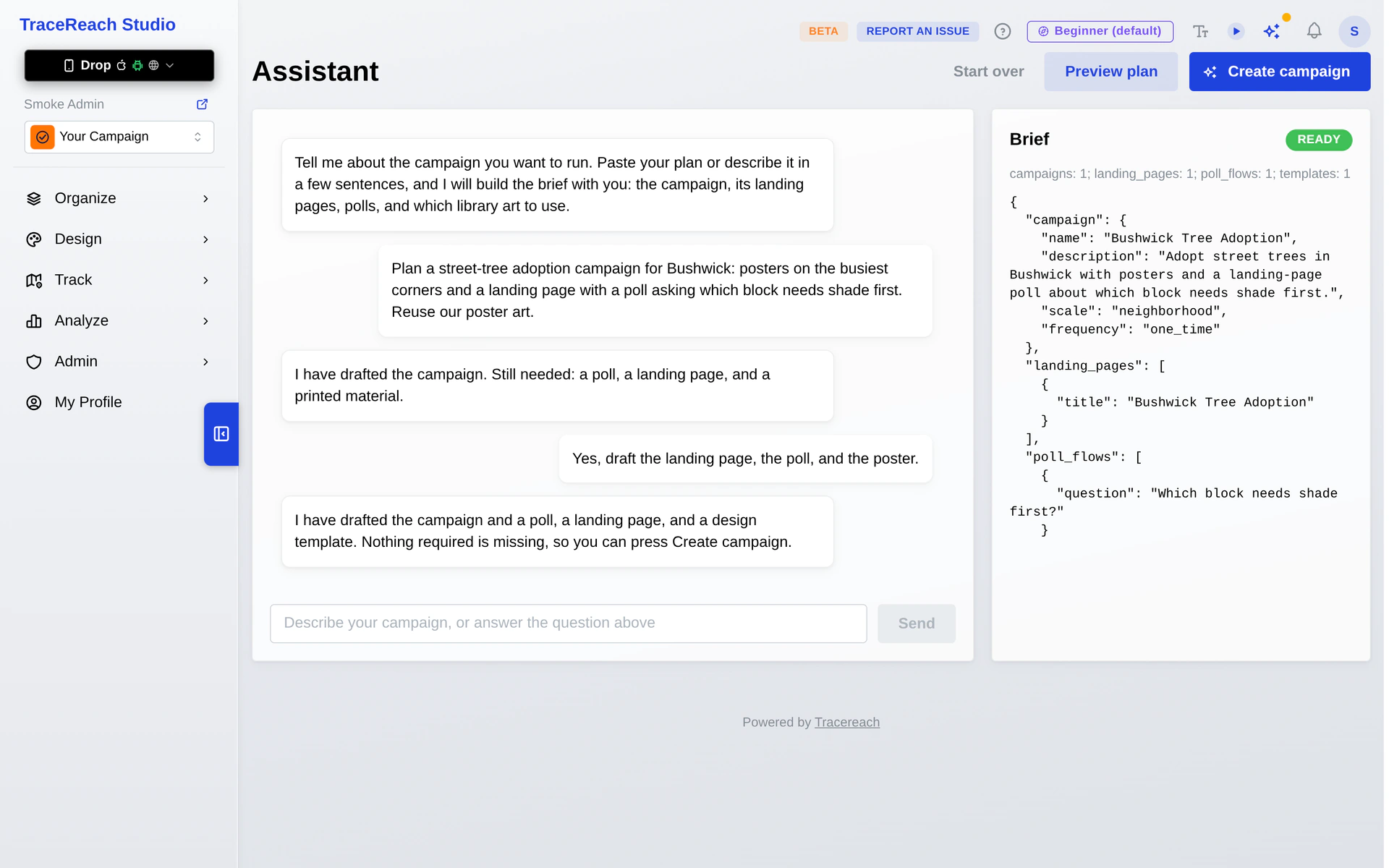
Tell the AI assistant what you want people to learn or do. It drafts the campaign, designs, landing page, poll, planned locations and crew routes. Preview the changes, then apply the plan when you are ready.
The assistant comes with Team, Network and Custom.
Give your crew a shared plan for the street
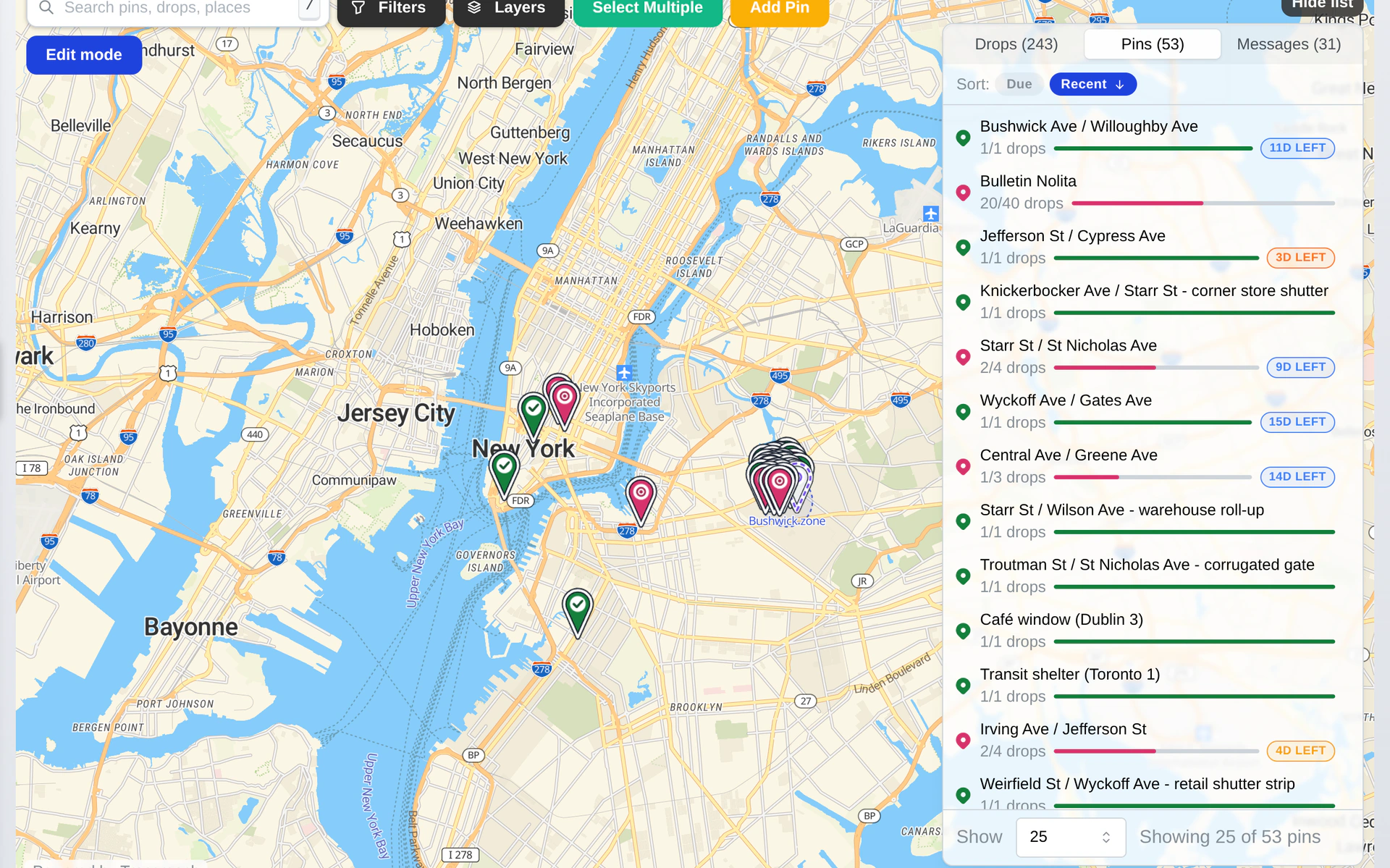
Mark places to cover and assign them to your crew. Your volunteers, members or contractors see where materials have already gone up. A photo, place and date come back with each logged Drop, including materials with no QR code.
Use the coverage map to find gaps before sending your crew out again.
See what people do after they scan
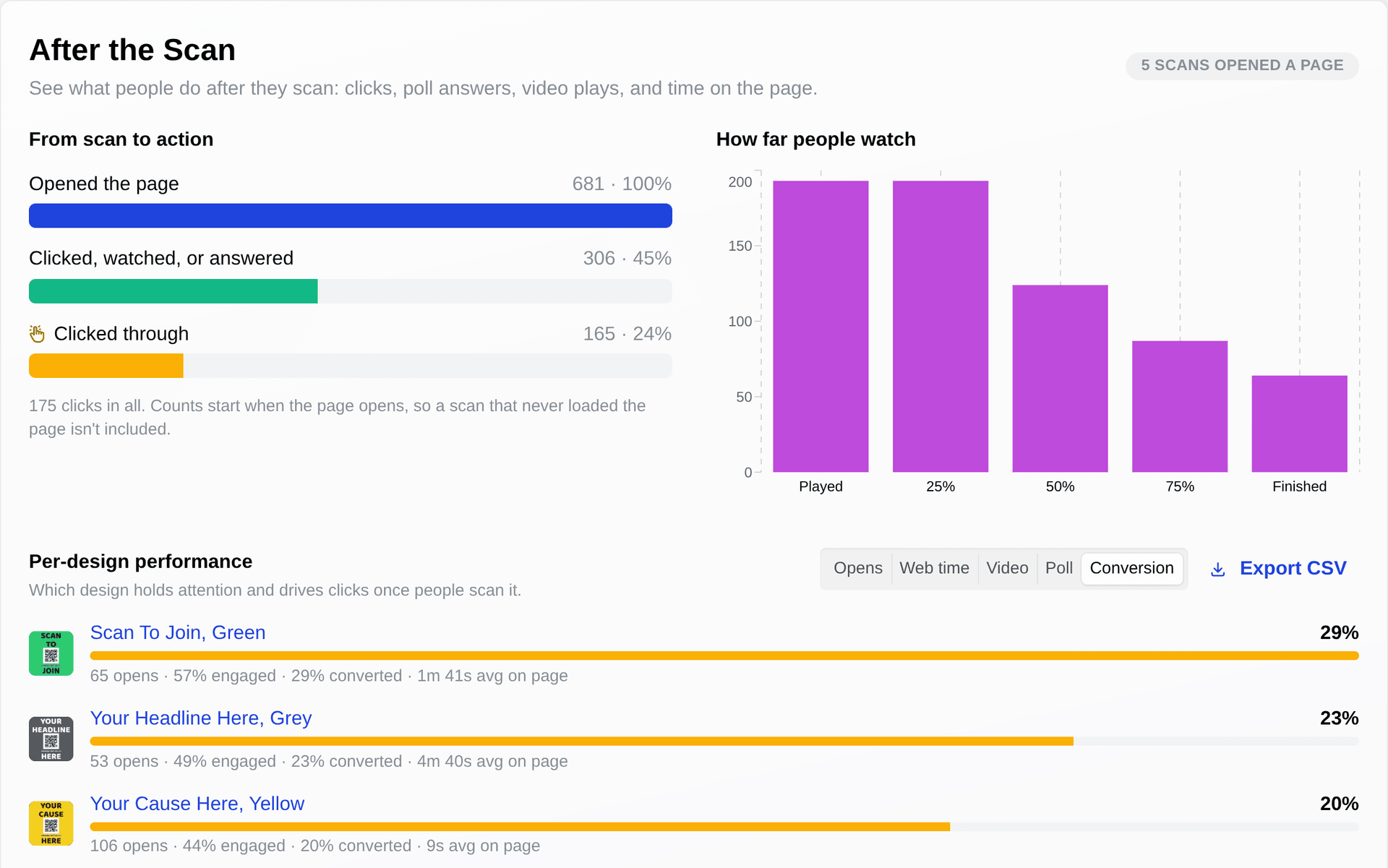
A QR code opens your campaign page, video, poll or another web address. Read scans by design and place, then see page actions and poll answers in your reports. Compare messages using the response tied to them.
Scans and page actions are counted in aggregate. They do not identify the person who scanned.
Start with the response you want.
For an awareness campaign, compare the messages people scan and the answers they give in a poll. For an event, put the details on a page and link to your registration site. For a community campaign, map the streets covered and the places still to reach.
Your campaign can serve a cause, promote an event or reach customers. Choose the plan that fits the work. Discounted rates are available to nonprofits.
Put your next campaign in motion.
Start with a design, or choose a plan with the assistant, crew assignments, pages and polls.